9
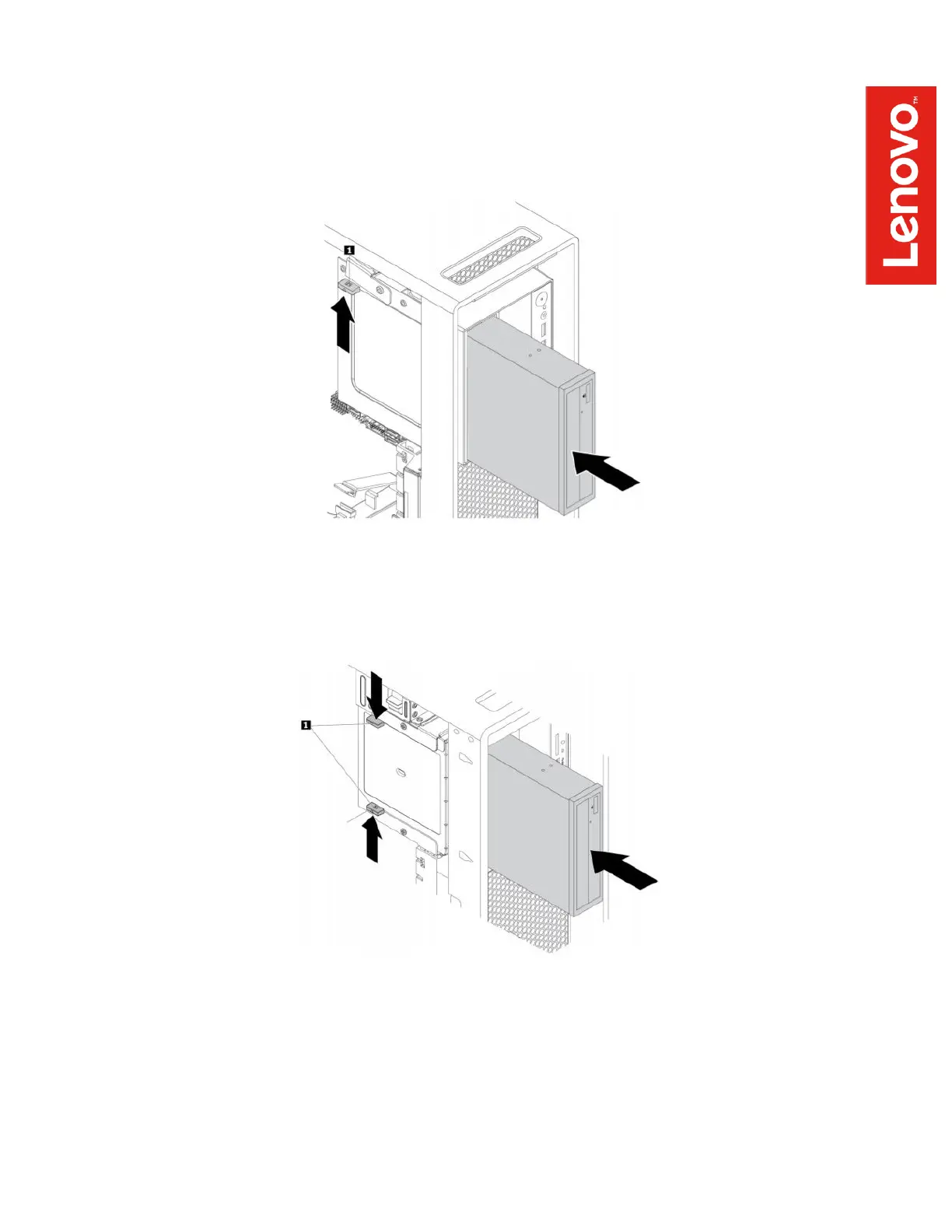
P520
Slide the FLEX module into the bay until it stops, then press tab 1 as shown below and
push the module further until it latches into place.
P720
Press the tabs toward each other as shown below and slide the module halfway into the
bay. Release the tabs and continue sliding the module in until it latches into place.
P920
Remove the large air baffle from the chassis to gain full access to the inside of the
workstation. Insert the FLEX module into the bay and push it until it latches into place.


 To Next Page