ㅣ
2120
ㅣ
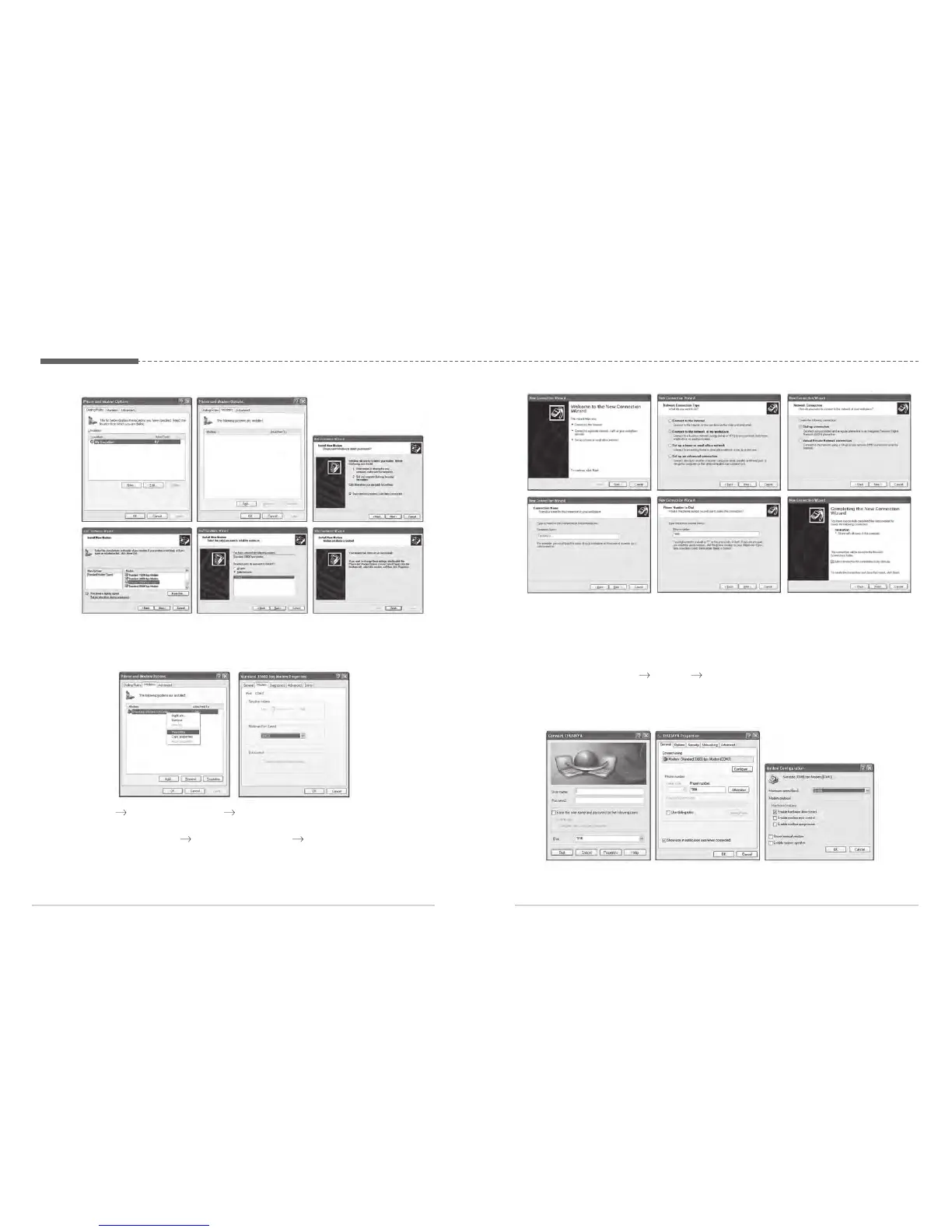
2. Right-click the mouse on the “Standard 33600bps Modem” which is newly
created in the Modems window. Right-click the mouse to select “Properties”
and then select “38400” for “Maximum Port Speed”.
3. Select “ Control Panel Network Connections Create a new connection”
to automatically execute the “New Connection Wizard”. Follow the procedures
below to create a phone connection. (Make sure to enter “*99#” for “Phone
Number to Dial”)
Control panel network connections create a new connection
4. Once all the settings are complete, a new phone connection icon will be
generated on the main screen.
5. Double-click the newly generated phone connection icon to execute phone
connection.
Select “Properties
General Configure” and then set “38400” for
“Maximum Modem Speed”.



 To Next Page