TI-89/TI-92 Plus/Voyage™ 200 NoteFolio™ App Page 7
2. Type text into your note.
3. When you finish creating a note, press ƒ
Done to save and
close the note
. The NoteFolio
™
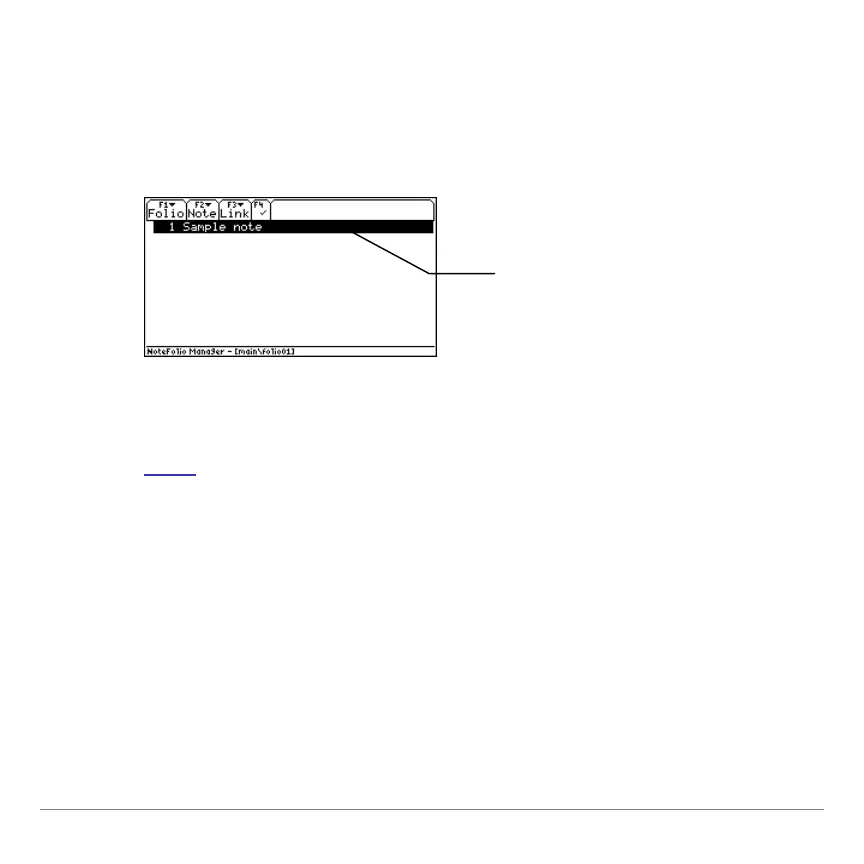
Manager displays the list of
notes it contains.
Opening a folio
1. Start
the NoteFolio App. The NoteFolio App menu displays.
2. Select
2:Open. In the OPEN dialog box, select a folder and a
folio (variable), and then press ¸. The folio opens with the
list of notes it contains.
Opening a note
From the NoteFolio Manager, select a note from the list and press
¸.
The text on the note’s
first line serves as the
note’s name.


 To Next Page