Fig. 5.9
Choose different protocol type and set device address to control different devices.
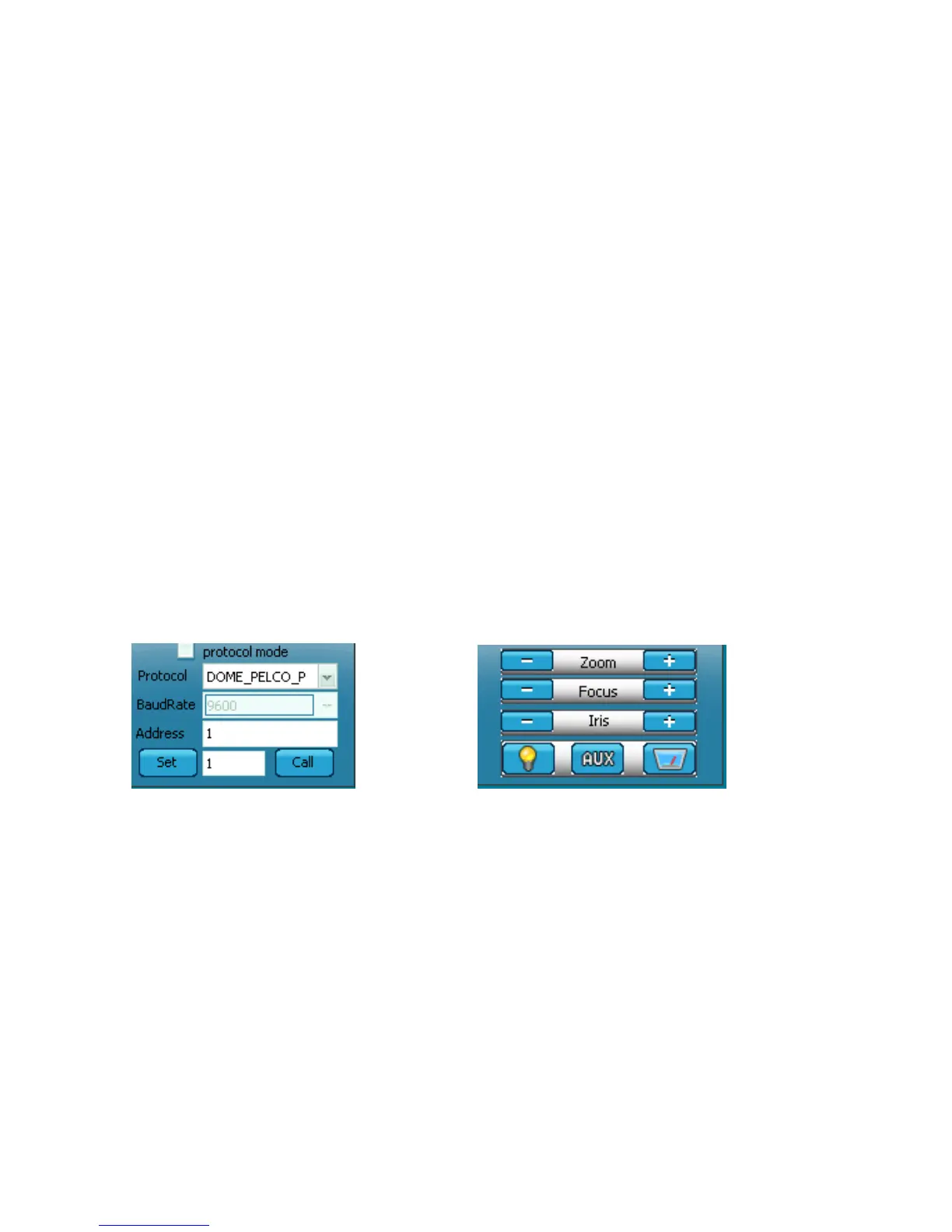
Protocol(Fig 5.10):
[Protocol]: Contains the following Protocols: PTZ_PELCO_D, PTZ_PELCO_P,
PTZ_TC615_P, DOME_PELCO_D DOME_PELCO_P.
[Protocol state]: Automatic identification.
[Address]: You can manually enter the address of the front-end fixed point device, the
effective address range: 1 to 255.
[Baud rate]: requires the user to enter the “configuration parameters "----" PTZ Settings”
interface to set up.
[Set]: Set the preset position; Enter the preset number in the blank column, click "Set"
button, the camera’s current state of a preset called preset “1”; accordingly you can add
multiple preset positions.
[Call]: call the preset position; Enter the preset number in the blank column, click "Call" to
call the preset position, the camera will automatically rotate to the preset position.
Fig 5.10 Fig 5.11
The lens Control and subsidiary control switch (Figure 5.11):
[Zoom]: Control the camera lens zoom, optical zoom and electronic zoom.
[Focus]: camera electronic focusing, use Auto Focus ineffective.
[Iris]: manually control iris switch.



 To Next Page