(Green light in Line In mode)
8. Pre-sets 1-5
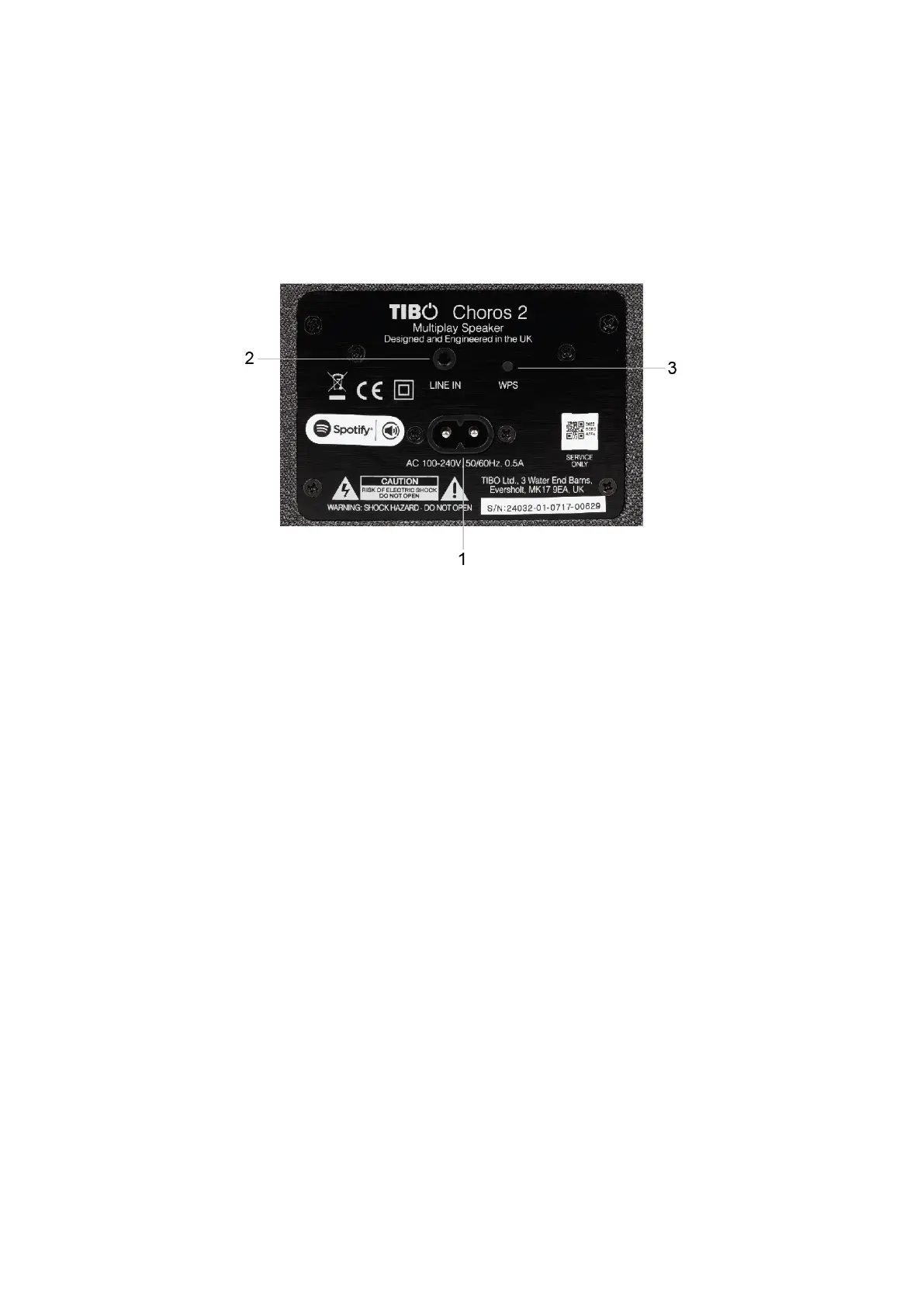
Rear panel layout
1. Power cable port
2. Line in (3.5mm audio stereo input)
3. WPS button
Initial setup steps
1) Connect the power cord to the port on the rear of
the Choros 2 and turn on the power switch at the
mains.
2) The Choros 2 will respond by saying “Power on,
powering up for the first time, please wait.”
3) Do not do anything until the Choros 2 has
finished booting up. The Choros 2 will say “Ready
for app setup” when boot up is complete.


 To Next Page