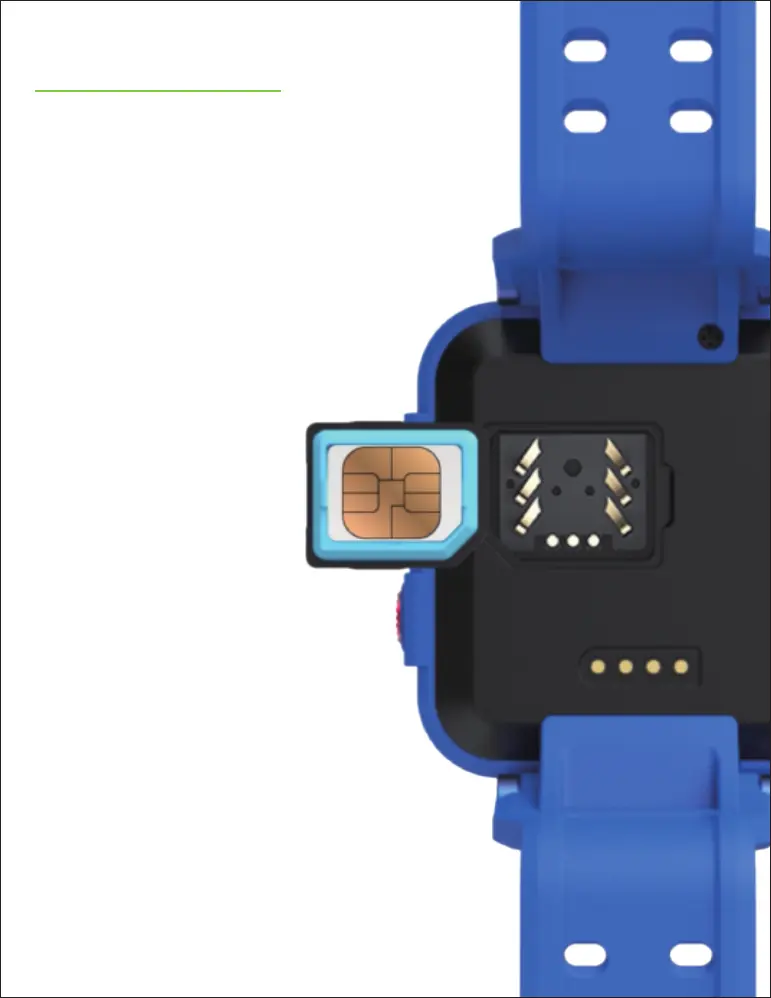
INSERT SIM
Make sure your TickTalk 4 is
OFF before inserting your
SIM. Using the included SIM
lid opener, open the
BACK COVER and slide the
SIM card in from the side
to insert.
After closing
the cover,
confirm it
is COMPLETELY
closed to
protect from
any water
exposure.
After your SIM is
installed, turn your
TickTalk 4 ON. If you see
“SIM CAN’T BE READ”
please turn your TickTalk 4
OFF and REINSTALL the SIM.



 To Next Page