1. Bad cellular reception
2. Slow network connection
3. Invalid or inactive SIM or wrong plan
4. TickTalk server connection issue
NETWORK CONNECTION
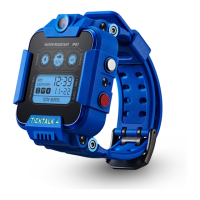
Once your TickTalk 4 has successfully
connected to your network, you’ll see a
CONNECTED ICON on the top of the watch
screen. Your watch will not work without a
network connection.
Why don’t I see the CONNECTED ICON?
1. Check your carrier’s coverage map in your
area. If you have poor coverage indoors,
please connect to Wi-Fi.
2. Confirm your SIM card is activated and has
credit in your account.
3. Confirm that you have a REGULAR CELL
PHONE PLAN with TALK,
TEXT and DATA and not
a wearable or digits plan.
4. Contact the TickTalk
Technical Support Team.
How do I SOLVE this issue?


 To Next Page