EDIT WATCH USER'S INFO
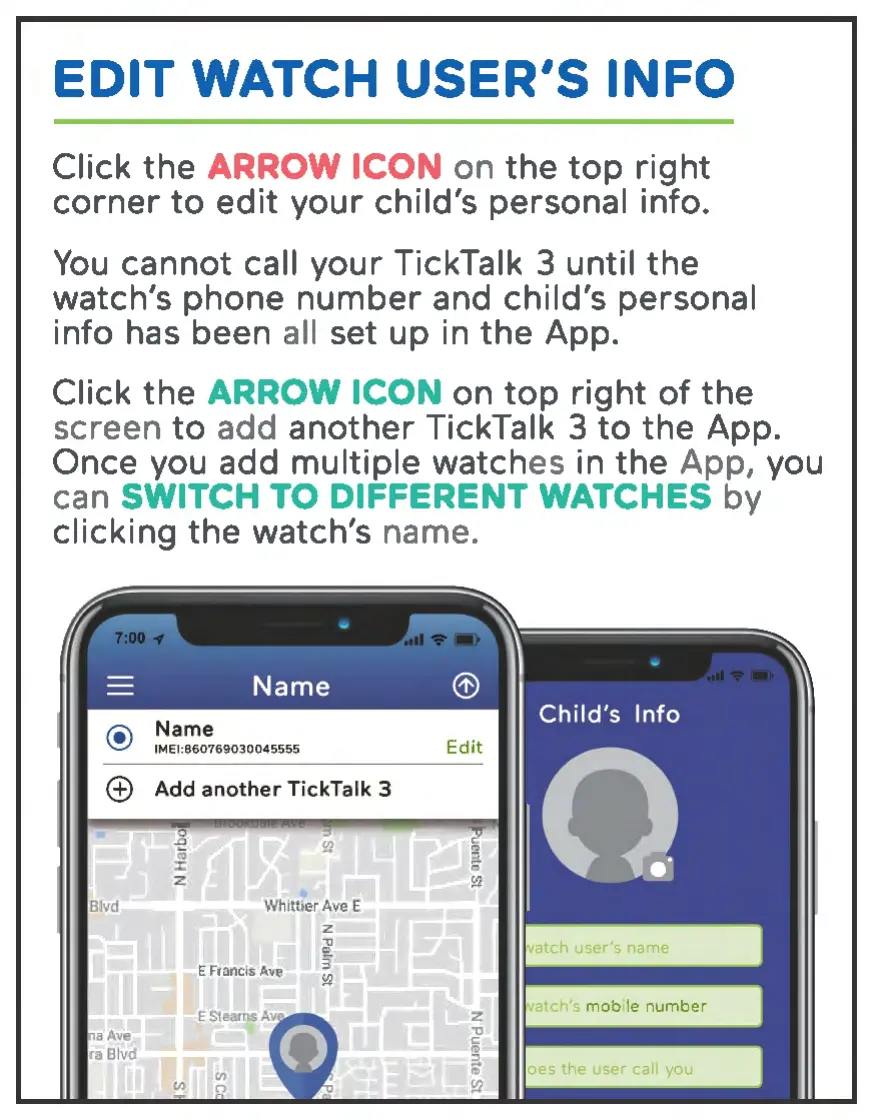
Click the ARROW ICON on the
top
right
corner
to
edit
your
child's personal info.
You
cannot call your TickTalk 3 until the
watch's phone number and child's personal
info has been all set up in
the
App.
Click the
ARROW ICON on
top
right
of
the
screen
to
add another TickTalk 3
to
the App.
Once you add multiple watches in the App, you
can
SWITCH
TO
DIFFERENT WATCHES by
clicking the watch's name.
Blvd
a
4ve
ra Bl
vd
IMEl:860769030045555
Add
ano
ther
TickTa
lk
3
z
J
E Francis
4ve
3
!Q


 To Next Page