EasyManua.ls Logo

TickTalk TICK TALK 3 - Network Connectivity; Connected Icon and Troubleshooting

TickTalk TICK TALK 3
24 pages
Print Icon
To Next Page IconTo Next Page
To Previous Page IconTo Previous Page
Loading...
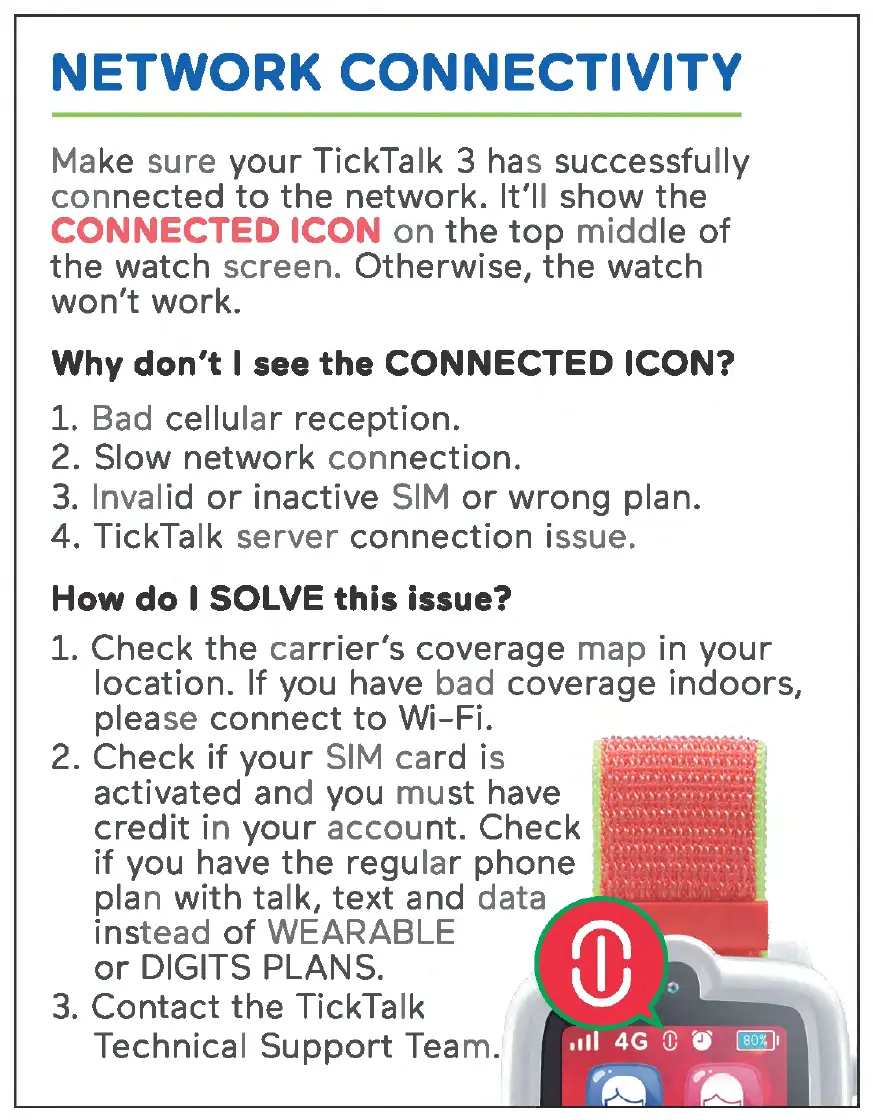
NETWORK CONNECTIVITY
Make sure
your
TickTalk 3 has successfully
connected
to
the
network.
It'll show
the
CONNECTED ICON
on
the
top
middle
of
the
watch screen. Otherwise,
the
watch
won't
work.
Why don't I see the CONNECTED ICON?
1. Bad cellular
reception.
2. Slow
network
connection.
3.
Invalid
or
inactive
SIM
or
wrong
plan.
4. TickTalk server
connection
issue.
How do I SOLVE this issue?
1. Check
the
carrier's
coverage map in
your
location. If you have bad coverage
indoors,
please
connect
to
Wi-Fi.
2. Check
if
your
SIM
card is
activated and you
must
have
credit
in
your
account. Check
if
you have
the
regular
phone
plan
with
talk,
text
and data
instead
of
WEARABLE
or
DIGITS PLANS.
3.
Contact
the
TickTalk
Technical
Support
Team.

Related product manuals