13
3. EN Power-Saving Mode
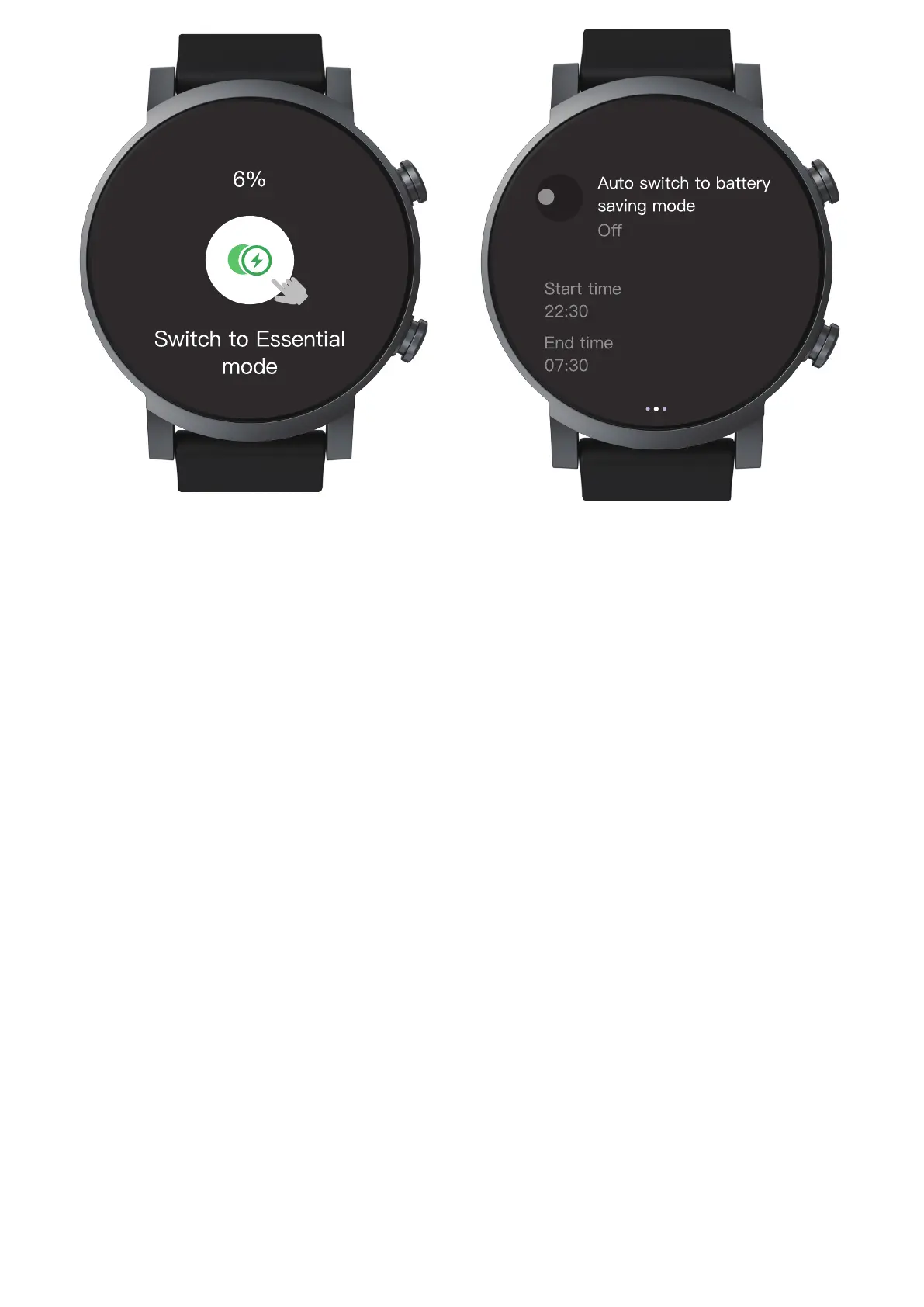
When the TicWatch is about to run out of battery,
you сап switch to Essential Mode to extend
battery life.
Auto Switch to Power-Saving Mode
TicWatch automatically switch to the
power-saving mode within the time range set Ьу
the users. When out of time range, automatically
boot into the normal mode.


 To Next Page