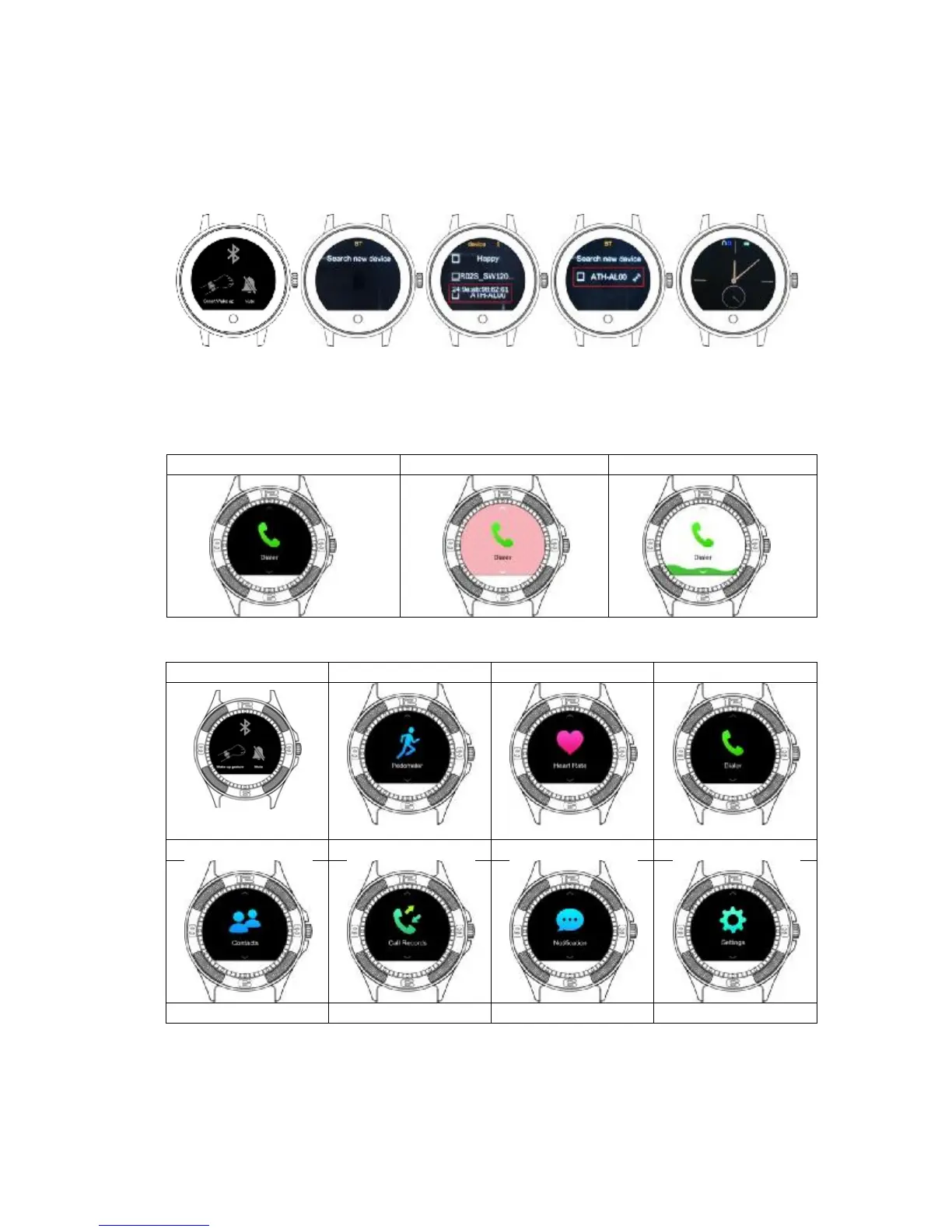
Bluetooth connection step1
Turn on Bluetooth from smart phone, pls ensure your bluetooth is open and can be
searched, Connection build from smart watch, if the bluetooth connection is done, there
are blue bluetooth icon was show on the screen.
1.7: Watch Background
• Available with 3 different watch Background, Choose from Setting -à Display
1.8: Main Menu


 To Next Page