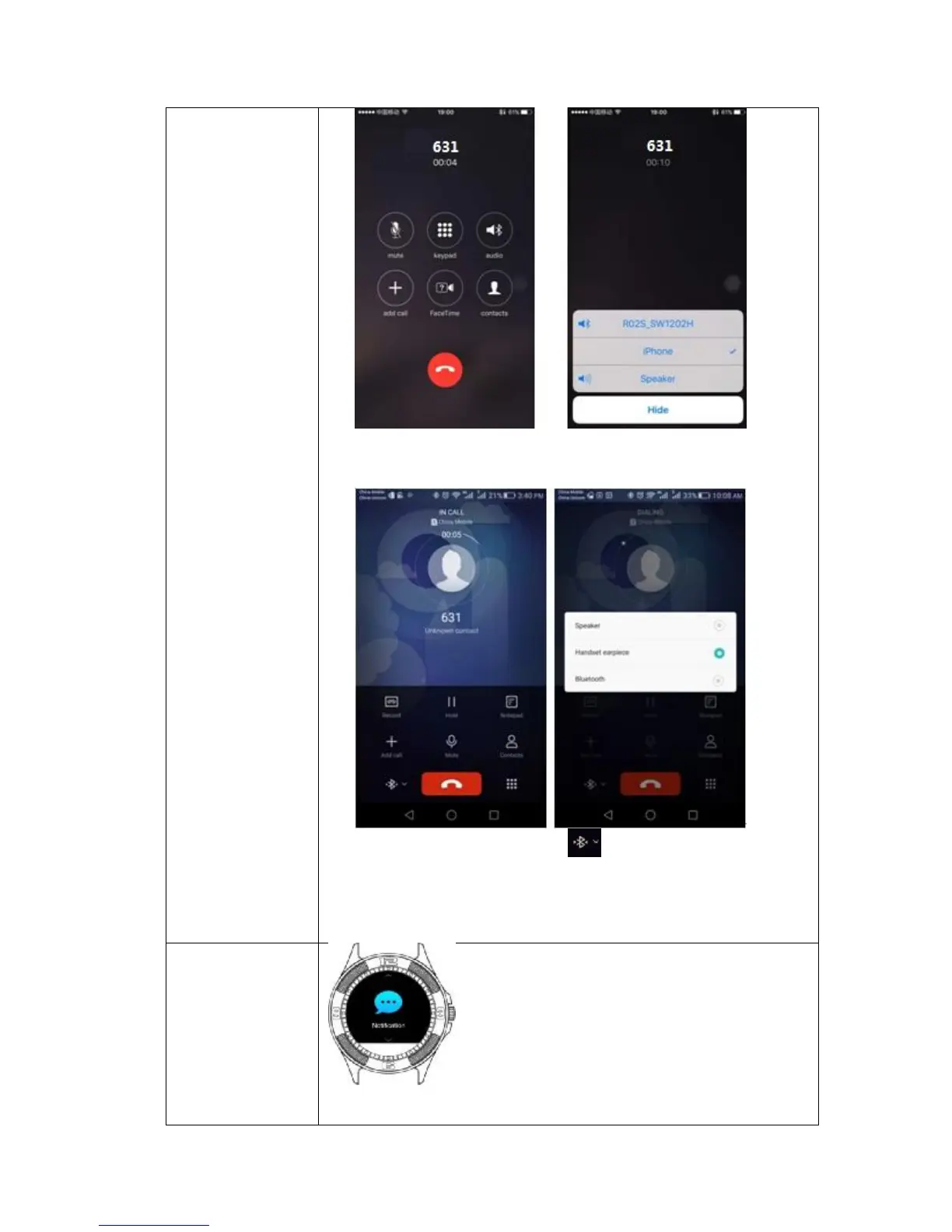
• (For iPhone): choose to answer the incoming call via your Smartphone
or Smart watch.
• (For Android Smartphone): tap to answer the incoming call via
your Smartphone or Smart watch, speaker=smartphone, bluetooth=
smartwatch..
• It shows all your instant message such as What’sApp, facebook,
pop-up news..etc


 To Next Page