IM2022
43
1. Extended zone control button
2. Cooking Zone selection button
3. Timer control button
4. Child Lock control button
5. Stop & Go control button
6. Heating level/Timer “-” button
7. Heating level/Timer “+” button
8. ON/OFF button
Notes: Product diagrams in the manual for reference only, there might be slightly difference due
to continually product improvements.
Before using your New Hob
• Read this guide, taking special note of the ‘Safety Warnings’ section.
• Remove any protective film that may still be on your new electric hob.
Using the Touch Controls
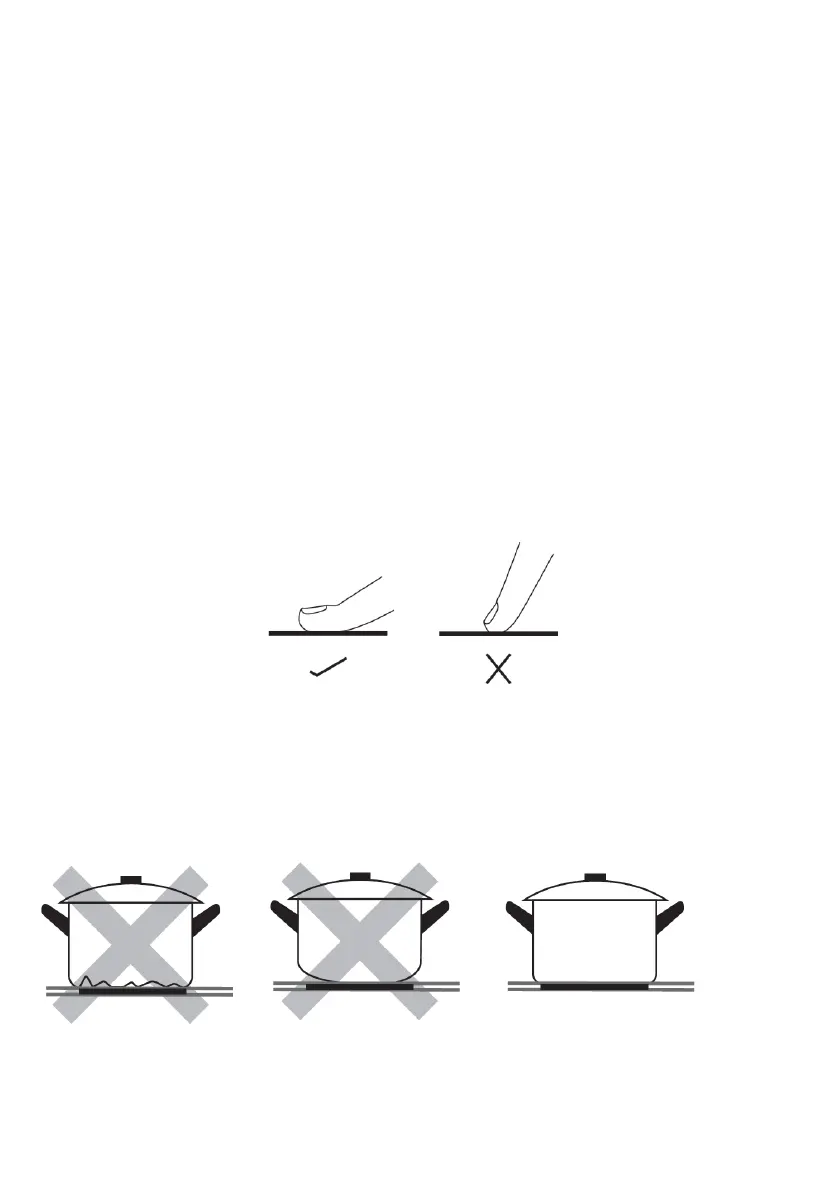
• The controls respond to touch, so you don’t need to apply any pressure.
• Use the ball of your finger, not its tip.
• You will hear a beep each time a touch is registered.
• Make sure the controls are always clean, dry, and that there is no object (e.g. a utensil or a
cloth) covering them. Even a thin film of water may make the controls difficult to operate.
Fig. 11
Choose the right Cookware
Notes: You can use any kind of pot or pan for Ceramic Hob.
Do not use cookware with jagged edges or a curved base.
Make sure that the base of your pan is smooth, sits flat against the glass, and is
the same size as the cooking zone. If you use smaller pot efficiency could be less
than expected. Always centre your pan on the cooking zone.



 To Next Page