IM2022
45
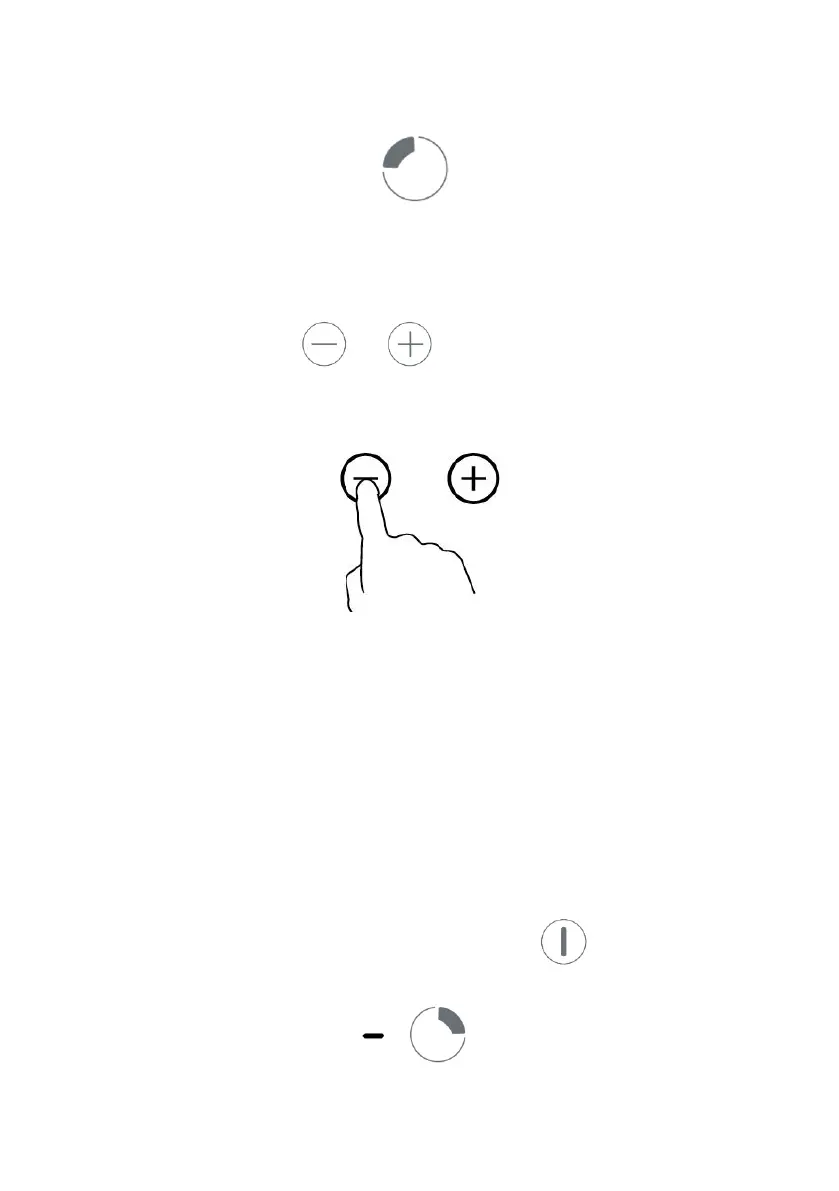
3. Set heating level of cooking zone
Before adjust heating level,you need to touching the heating zone selection control
button to select and active the cooking zone you wish to use.
The heat setting indicator of the selected zone flashing when be active, then you could adjust its
heat level by below:
-Touch control models:
• Set heat setting by touching the or button.
• If press and hold either of the two buttons, the value will adjust down or up rapidly, from 0 to 9
in circle.
Notes:
1. After connect to electricity, when power on, the buzzer of hob beeps once, all indicators light
up for 1 second then go out.
2. When the hob in Standby mode, if there is no practice within 1 minute, the electric hob will
auto turn off, with buzzer beeps once.
3. To turn on hob, press the ON/OFF control button and hold on for about 3 seconds; To turn it
off, just need to press ON/OFF button again.
4. The power level can be adjusted from 0 to 9, default setting is level 5.
5. The heat setting indicator of the selected zone flashing when adjusting. After adjusting, the
number flashing for 5 seconds then stop flashing, then the setting is be confirmed.
To turn off hob
1. You can turn the cooking zone off by adjust heat setting to level 0, which indicator shows“-“.
2. You can also turn the whole hob off by touching the ON/OFF control button.



 To Next Page