E E E
Step Mileage Calories Exercise Timer
- Resolution level:1-10,press E /C to increase or decrease
- Keep pressing B for 2s to exit.
- It will exit seing mode when no any key pressing for 1 minute.
2. Pedometer Mode
- Range : 0 ~ 999999 Step
- Calories : 0.0 ~ 99999.9 Kcal
- Mileage : 0.00 ~ 9999.99 KM or 0.00 ~ 9999.99 Mile
- Exercise time : 0 ~ 24H
- In the pedometer mode, keep pressing C for 2s to turn on/off the pedometer
- The pedometer symbol will display when the meter is on
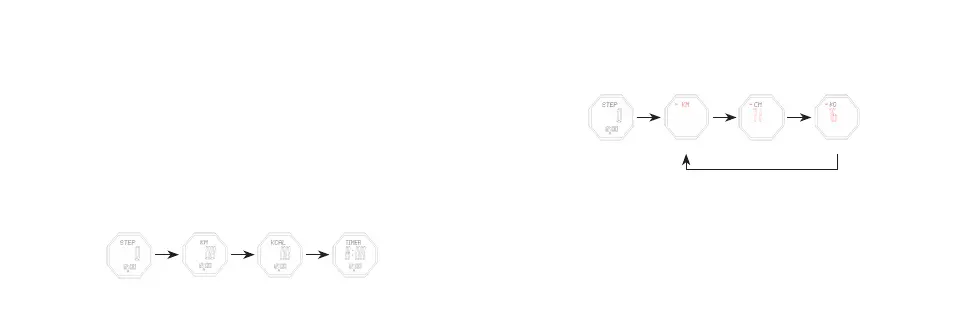
- Press E to shi among these items : step → mileage → calories → exercise time → step
Set the pedometer
- In pedometer mode, keep pressing buon B for 2s,the unit flashes, entering seing
mode
- Press buon B to set the flashing items: unit → step distance → weight
- Press E /C to shi the unit of metric and English
- Press E to increase the value, press and hold E to advance quickly.
- Press C to decrease the value, press and hold C to decrease quickly
- Input your weight : 20 ~ 200 kg or 44 ~ 441 lbs (default value75 kg or 165 lbs)
- Step distance : 30 ~ 180 cm or 2 ~ 71 inch (default value 70 cm or 28 inch)
- Keep pressing B for 2s to exit.
- It will exit seing mode when no any key pressing for 1 minute.
B B B
B
Pedometer Mode Set Unit Step Distance Weight



 To Next Page