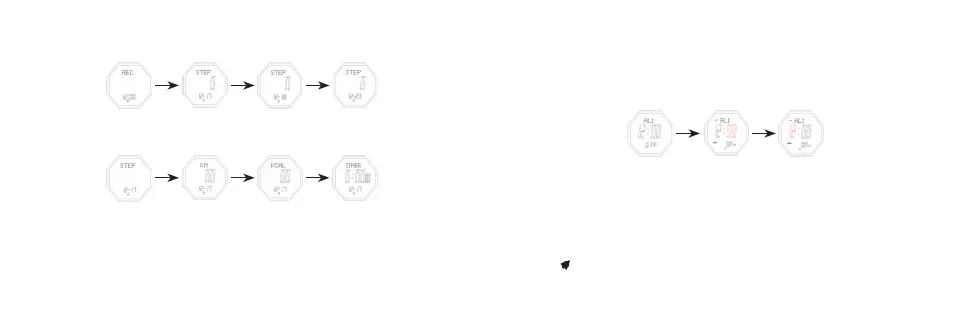
3. Review Records
- In the record mode, press C to review the latest 7 days record
- In the day record, you can shi the data for the following items by pressing E
- If no data recorded on that day, pressing C/E is useless
C
E
C
E
C
E
History Record Review Mode
Pedometer
12.17
Mileage
12.18
Calories
12.23
Exercise Timer
4. Alarm Mode
- In alarm mode, press buon E to shi among these items: AL1 → AL2 → Chime → AL1
- Press C to turn on/off the alarm or hourly chime
- In alarm mode, keep pressing buon B for 2s,the Minute flashes, entering seing mode
- Press B to move the seing items:
B B
Alarm Mode Set Minute Set Hour
- Press E to increase the value, press and hold E to advance quickly.
- Press C to decrease the value, press and hold C to decrease quickly
- Keep pressing B for 2s to exit.
- It will exit seing mode when no any key pressing for 1 minute.
- When the alarm is on, it will sound BB—BB for 20s once it’s the alarm time, the
sign will be flashing. Press any buon to stop it



 To Next Page