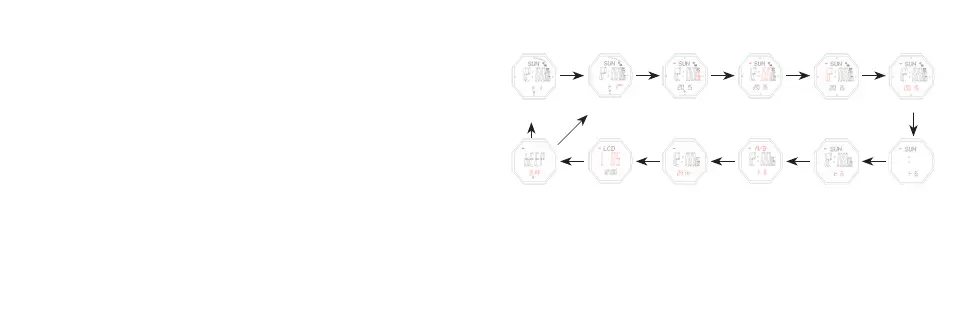
1. Time and date seing
- In timekeeping mode, keep pressing buon B for 2s,the Second flashes, entering
seing mode.
- Press buon B to set the flashing items.
- Press buon A in any mode, EL illuminates for 3 seconds.
- Press buon B to choose modes.
- In timekeeping mode, keep pressing buon E for 2s to shi: week—temperature—
altitude curve—sea level atmospheric curve.
- In timekeeping mode, press C to enter Altitude measurement mode directly.
- In timekeeping mode, press D to enter compass measurement mode directly.
- In timekeeping mode, press E to enter Atmospheric pressure measurement mode
directly.
- Aer enter the above mode, press B to exit and return to timekeeping mode.
B
B
B
B
B
B
B
B
B
B
B
B
B
Keep Pressing Buon B for 2s
Time Keeping Mode
Beep On/Off
“HOLD” Flash
Set LCD Resolution
Set Second
Set 12/24H
Set Minute
Set M/D Format
Set Hour
Set Date
Set Year
Set Month
- Press E to increase the value, press and hold E to advance quickly.
- Press C to decrease the value, press and hold C to decrease quickly.
- When the Second flashes, press E OR C to reset
- Press E/C to shi between 12/24 hours format



 To Next Page