7
8. Reviewing and Changing ON/OFF
Programmes
Press → repeatedly until the ON or OFF programme requiring
amendment is reached (button ← can be used to retrace steps if
necessary). Press the SET button repeatedly until the day(s)/hours/
minutes are flashing then use the → ← buttons to make the
amendment. When this is complete press the TIME button to return
to operating mode.
9. Adjusting Clock Time
Press SET for approximately 4 seconds and the day symbol will flash.
This can be changed using → ← buttons as required. Further brief
pressings of the SET button show the hour and minute settings
flashing and these may be changed in the above way if required.
Then press the SET button and the display will show the operational
mode.
10. Countdown Mode
This enables the TG77 to complete a timed ON period from a
manually initiated start. The period can be from 1 second to 24 hours.
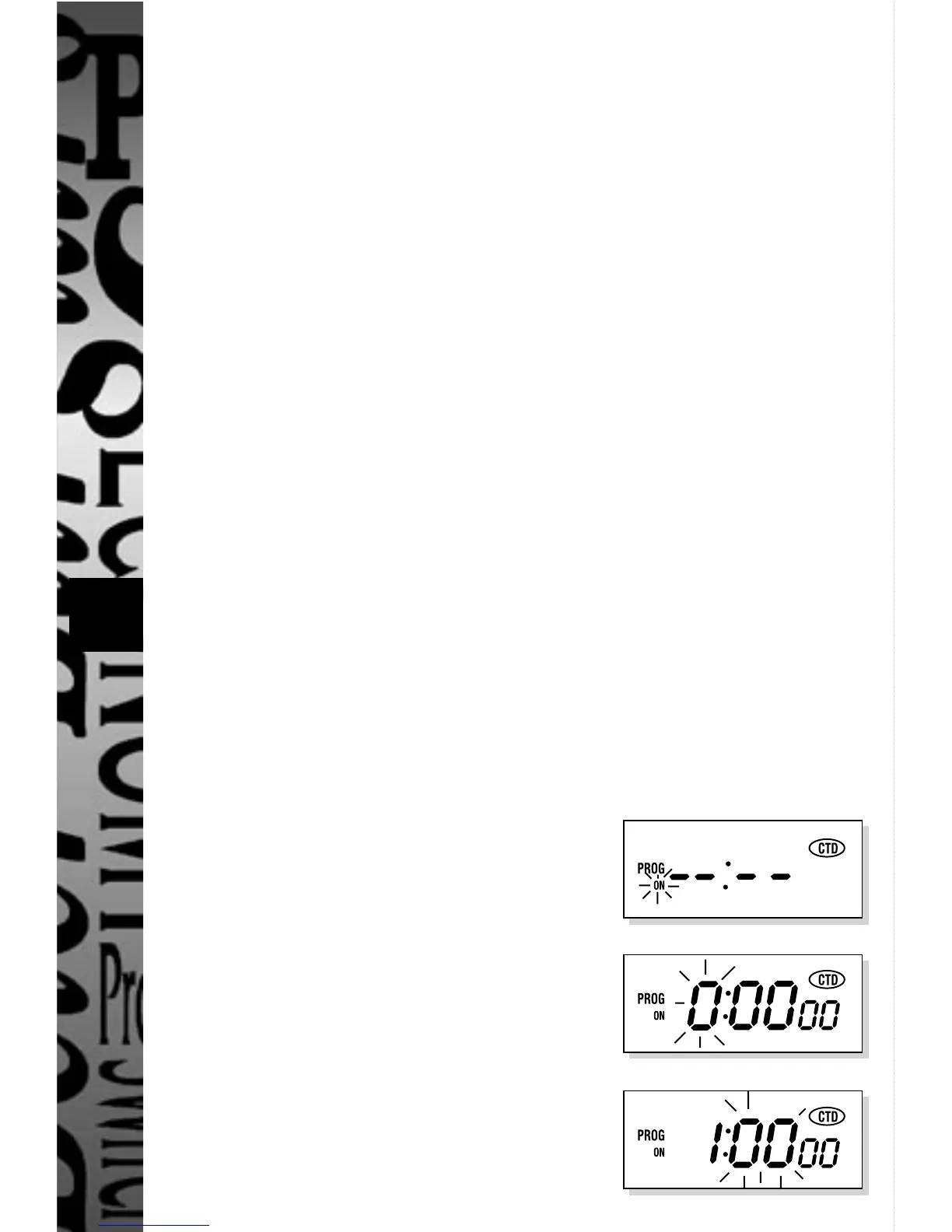
The TG77 can be programmed as follows:-
(example used 1 hour 10 minutes 30 seconds)
Press ←, display shows:
Press SET, display shows:
Press → to set hours to 1
Press SET, display shows:


 To Next Page