4
Press ← until the minute digits reach 52 (note the use of the ←
button being much quicker than the → button in reaching 52).
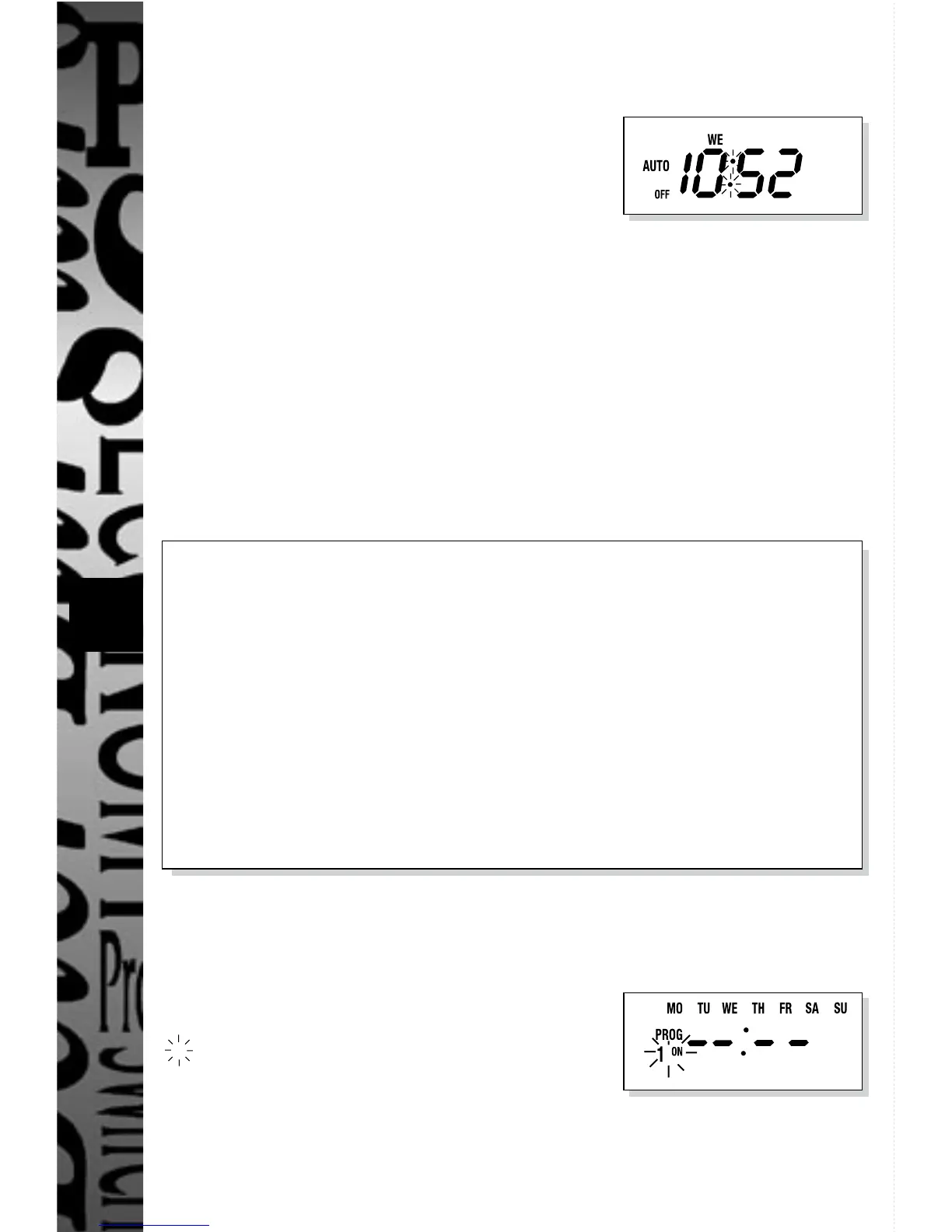
Press SET, display shows:
The TG77 is now in operation mode with the
time display and colon flashing.
6. Programming Timed ON/OFF Mode
20 ON/OFF programmes are available to the user. Any number up to
20 can be programmed, unused programmes must be left blank
( – – : – – ) and not programmed with zeros. Each of the programmes
can be assigned to work over the following days/day groups (shown
in order of presentation on the TG77 programming screen):-
MO TU WE TH FR SA SU (24 hour operation)
MO THROUGH TO SU (individual days)
MO TU WE TH FR
SA SU
MO TU WE TH FR SA
MO WE FR
TU TH SA
MO TU WE
TH FR SA
The programming sequence is as follows:-
(example used is 12:10 ON 16:05 OFF MO TU WE)
Press →, display shows:
Denotes flashing symbol(s).


 To Next Page