Pre-set Positions
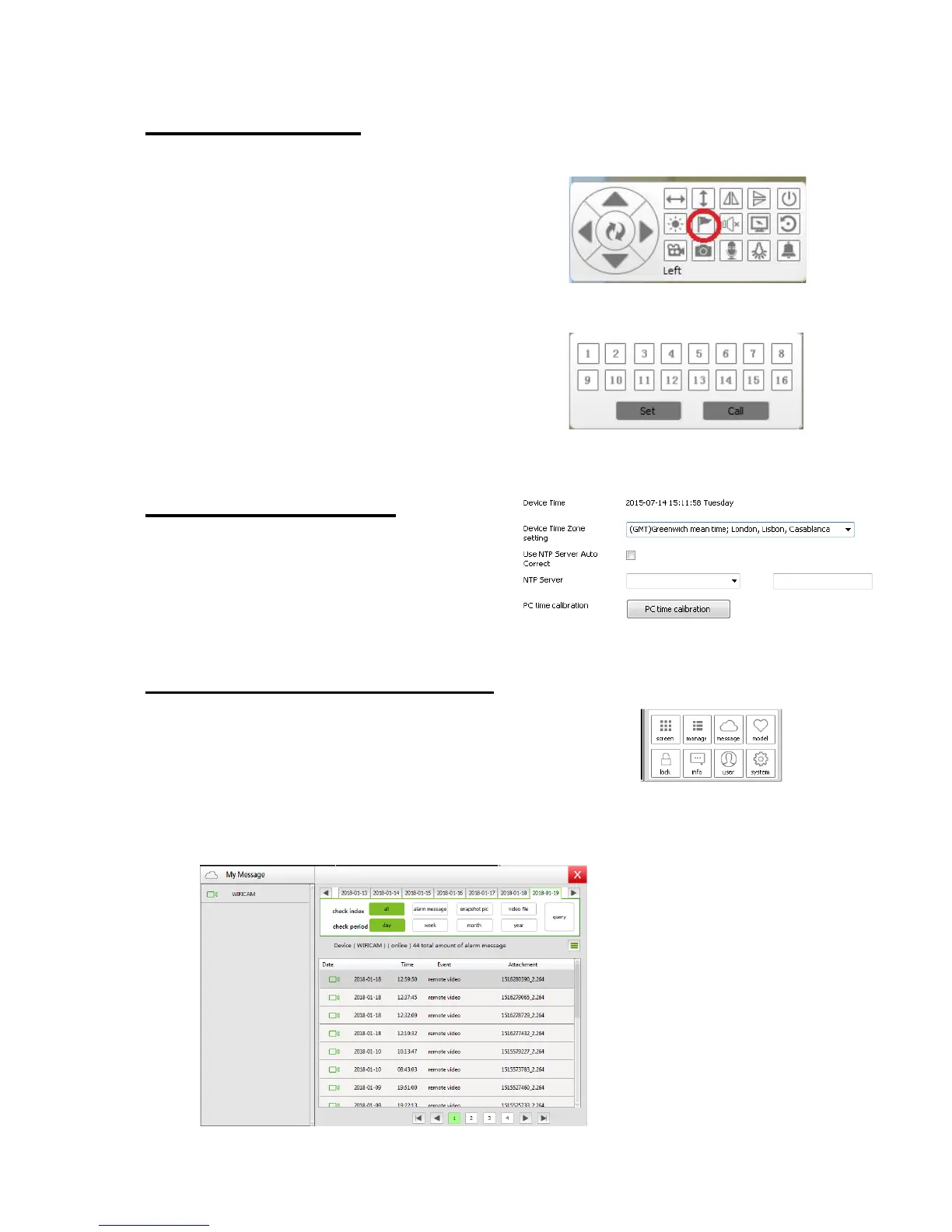
1. To create a Pre – set position, click on
the camera to bring up the camera Live
Feed
2. Rotate the camera to the position you
would like a pre-set to be created.
3. Click the Pre-set Position to bring up the following window.
4. Click on Pre-set set and choose any
number displayed, creating a pre-set to
the position number you selected.
Device Time Setting
Set the date and time according to
your time zone or simply synchronise
to your PC.
Accessing your Recordings
1. Click on “Message” at the bottom right hand
corner of the screen.
2. Click on your camera on the left hand side then choose a “Period”
and an “Index”. Click “Query” and then the recordings will be
displayed.



 To Next Page