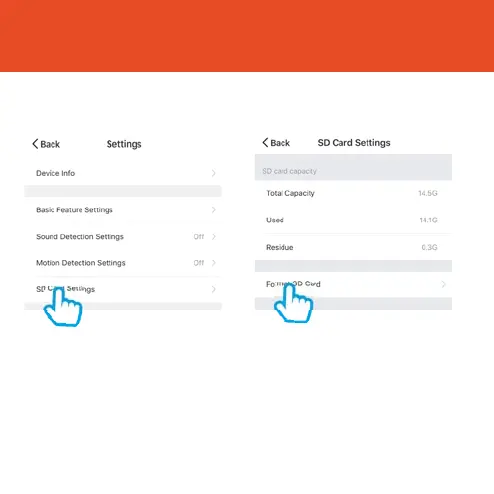
Format SD Card
Before Olivia can start recording, you will have to format the Micro SD Card.
Step 1
Select your camera and click on
“…” to bring up the settings.
Select SD Card Settings.
Step 2
Click Format SD Card and press
FRQȴUP2OLYLDZLOOEHJLQWRIRUPDW
the Micro SD Card.
Please note: it will take a couple of minutes to format
the card.
15



 To Next Page