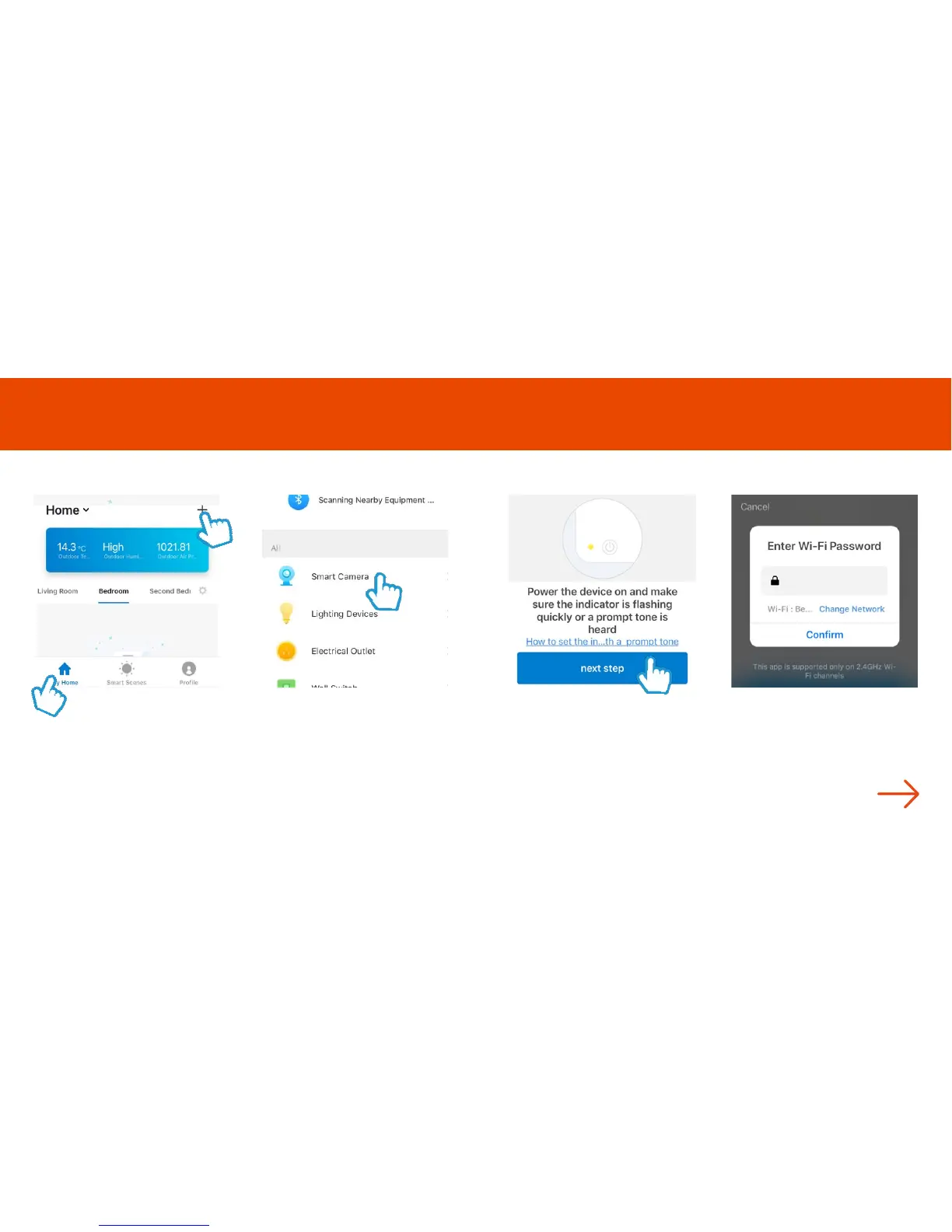
Step 1
In My Home, click the (+) icon in
the top right-hand corner of the
screen
Step 2
Select Smart Camera
Step 3
Make sure the device is flashing
red. (If it is not flashing, see the
reset instructions on page 14)
Select Next Step
Step 4
Enter your WiFi router password
Then press Confirm
Turn the page
Add Olivia
6 7



 To Next Page