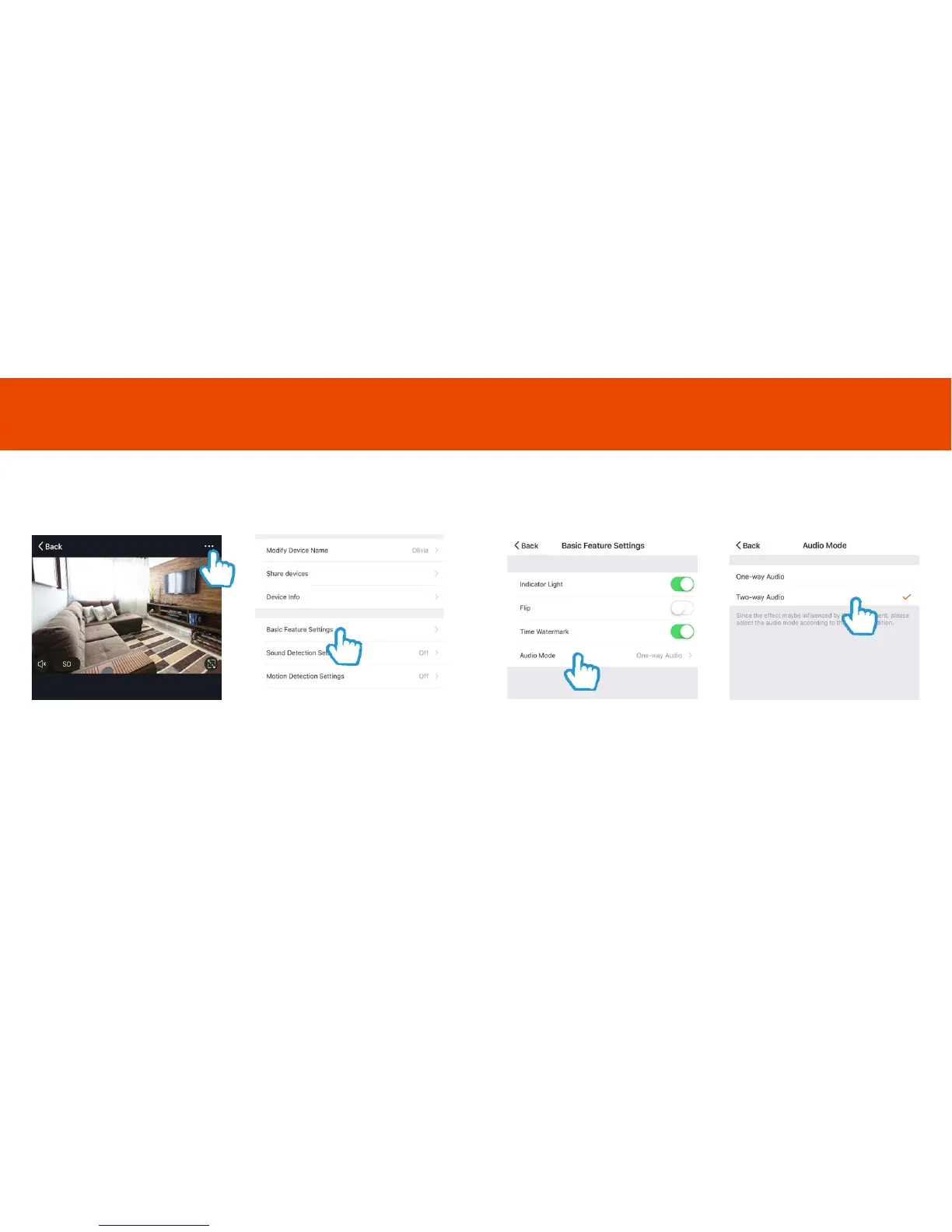
Two-Way Audio
To listen and speak through Olivia at the same time, you will need to
activate the two way audio.
Step 3
Click Audio Mode
Step 4
Select Two-Way Audio this will
change the camera settings
Step 1
Select the camera
Click the Settings icon on the top
right corner of the screen
Step 2
Select the Basic Feature
Settings
Two Way Audio
12 13



 To Next Page