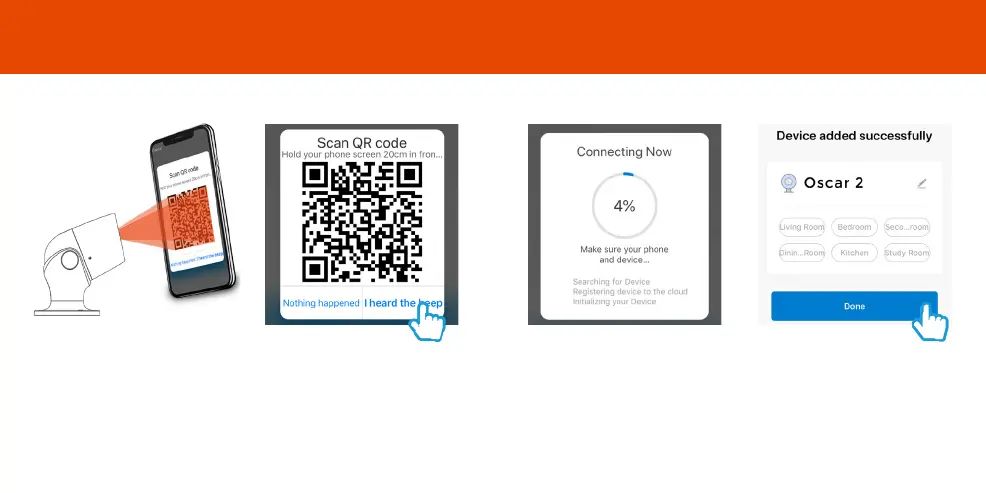
Step 5
Remove the plastic film from
the camera lens
Hold your phone up to Oscar
Step 6
If you heard Oscar chime, press ”I
heard the beep”
If you don’t hear the chime,
reposition Oscar in front of the
phone
Step 7
Oscar will then establish a
connection to Clan.
Step 8
Once connected you can change
Oscar’s name and select the room
he’s in.
Press Done
Add Oscar3
10
11



 To Next Page