Two-Way Audio
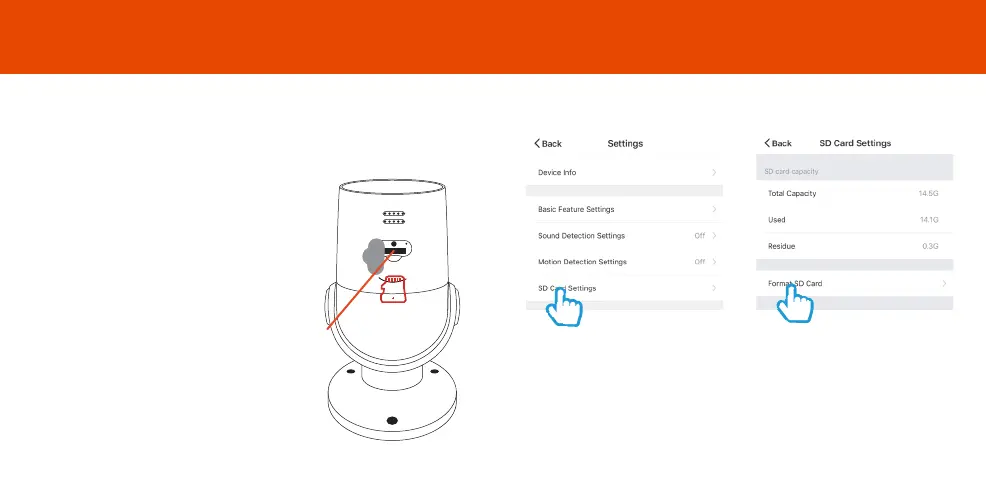
If you would like Oscar to record you will be required to insert a Micro
SD card. Oscar will support any sized Micro SD card up to 128 GB.
Before Oscar can start recording you will have to format the micro SD
card.
Step 3
Select your camera and click on
“…” to bring up the settings.
Select SD Card Settings.
Step 4
Click Format SD Card and press
confirm, Oscar will begin to
format the Micro SD card.
Please note: it will take a couple of minutes to format
the card.
Step 1
Turn off power to camera.
Step 2
Find the Micro SD card slot on the
underside of Oscar and insert the
card into the slot far enough for it
to click into place.
Step 3
Turn the power to camera back
on.
Add SD Card
14 15
Format SD Card
Micro SD
Card Slot
RETSD



 To Next Page