5
Wi-Fi Setup
Using this setting you can set the camera to function over your wireless
network.
Please note: When setting the camera up for the first time, it will need
to be wired into the internet router first.
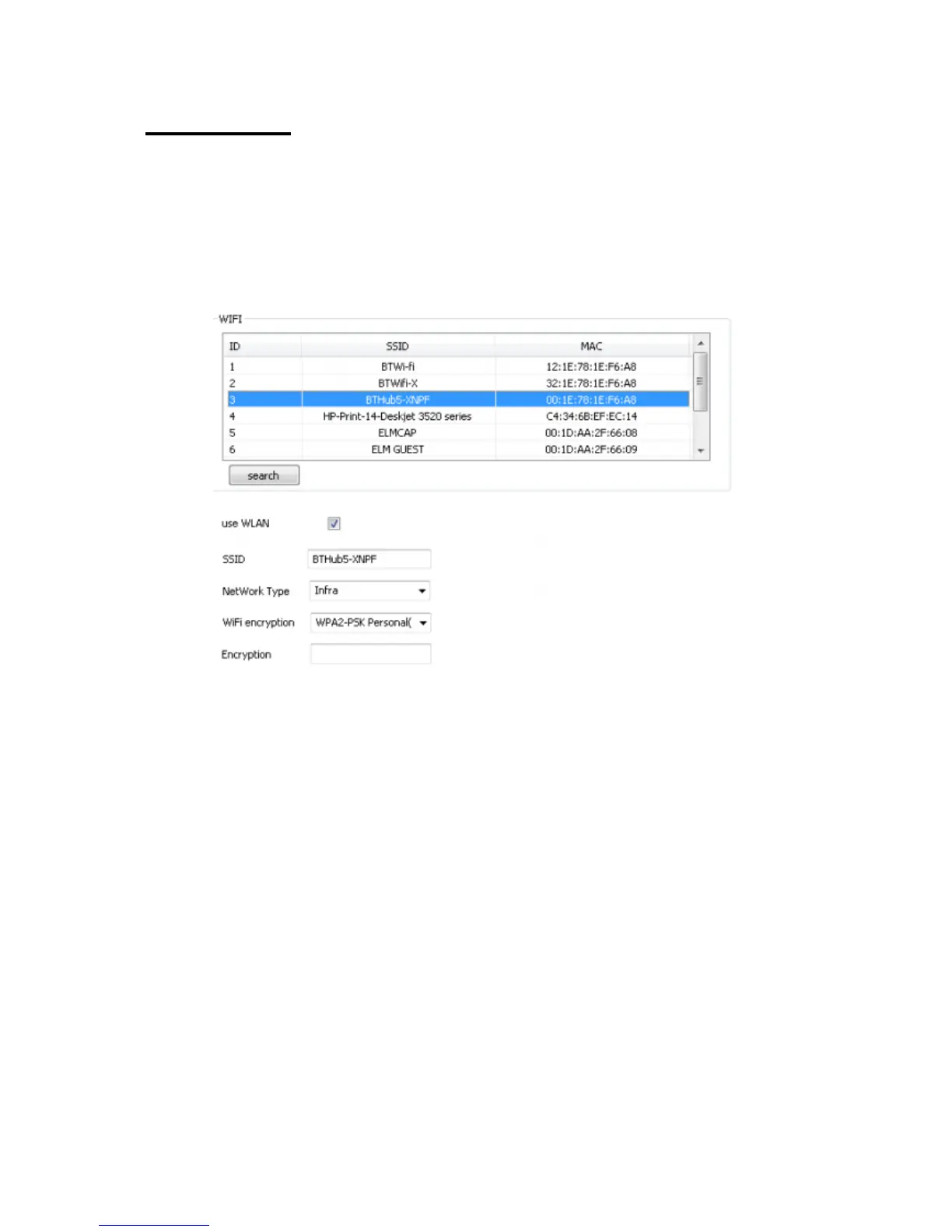
Ensure there is a tick in the “use WLAN”.
Click “Search” to search for existing wireless networks then select the
network you would like to connect to. All the information will be
automatically filled in except the password for your router.
In the “Encryption” box enter your router password and click “Set”.
Remove the Ethernet cable, and the camera will automatically configure
itself with the router.
Close down the window and you will see the camera come online using
the wireless function.



 To Next Page