OFF
Tu
23:07
OFF
Tu
23:07
Prog
OFF
--:--
Su Mo
Tu We
Th Fr Sa
Prog
OFF
1 2:--
Su Mo
Tu We
Th Fr Sa
11
9.2 FIRST OFF EVENT SETTING:
Press the ADV or BOOST buttons to
select the Hour that the OFF event
will be performed. When finished,
press the Prog button to proceed to
the setting of Minute that the OFF
event will be performed.
Press the ADV or BOOST buttons to
select the Minute that the OFF event
will be performed. When finished,
press the Prog button.
The additional ON/OFF events setting
should be preformed in the same way.
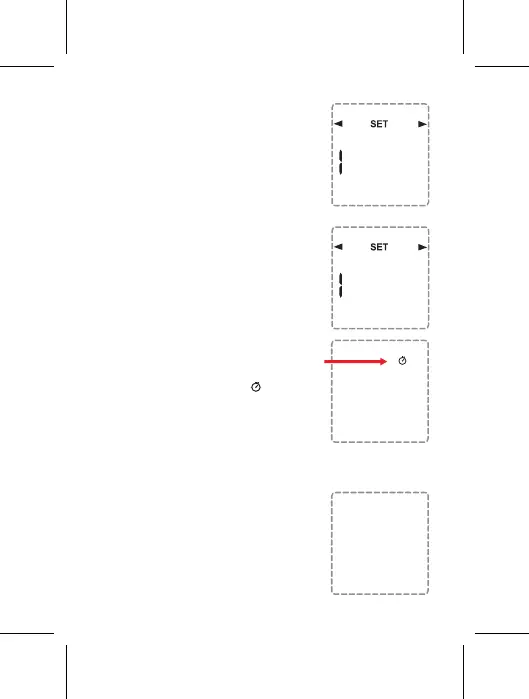
When finished. the mark " " will be
shown on the screen.
10. PROGRAM CANCELLING
For Canceling a specific ON/OFF
event The hours and minutes must be
set until the screen is displayed ”--:--".
10.1 cancelling all the programs
To cancel all programs at once, press
the Adv / Ovr and Boost buttons
simultaneously for 5 seconds.
When the operation is complete, the
clock mark on the screen will disappear


 To Next Page