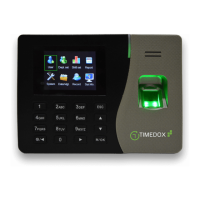
Mounting the Time-clock onto a wall
1. Verify the availability of an electrical outlet and an Ethernet port.
2. Place the mounting plate at the desired height – up to four (4) feet from the Ethernet
port – and mark the four (4) holes on the wall (See the middle figure below).
3. Drill the four (4) holes and insert the count dry-wall screw anchors.
4. Place the mounting plate on the wall and fasten it to the wall using the large Phillip
screws (See the middle figure below).
5. Connect the Ethernet cable and AC Power cord to the Time-clock (See the right figure
below).
6. Slide the Time-clock into the mounting plate (See the left figure below).
7. Connect the Ethernet cable to the designated port on the wall.
8. Plug the A/C power adapter into the wall socket.
9. Fasten the mounting plate to the Time-clock using the small black screw (See the
figures below).
10. Remove the fingerprint protection sticker.
cable
Small
black


 To Next Page