EasyManua.ls Logo

Timemaster TM700 - Insert Time Card

Default Icon
17 pages
Print Icon
To Next Page IconTo Next Page
To Previous Page IconTo Previous Page
Loading...
floshing
on
the
toP
of
disPloY'
.l
l.Press
COLUMN
buiton
once
io
delete
selected
weekdoy
for
column
prini'
(press
COLUUN
button
ogoin
to
show
lhe
A sign)
.l
2.Press E[]
to
move
A
sign,
ond
COLUMN
button
to
register
weekdoys
for
column
Prin1.
l3.After
compleiing
weekdoys
setling'
press
ENTER
buiton
to
confirm
setiing'
l4.Now
ihe
setting
number
turns
io 02'repeot
step
2-13
lo
continue
nexi
sei
of
setting
or
close
the
lid
to
complete
ond
exit
setting'
'l
0.Press
@
G
to
select
weekdoys,
if
the
weekdoy
is chosen
the
A
sign
will
be
How
to
delete
o setting
?
Press G)O
button
to seleci
lhe
setting
number
on
ihe
left
of
disploy,
then
press
E)
ond
ENTER
button
simultoneously
{or
3 seconds
to
deleie
ihot
set
of
setting'
I
INSERTATIME
CARD
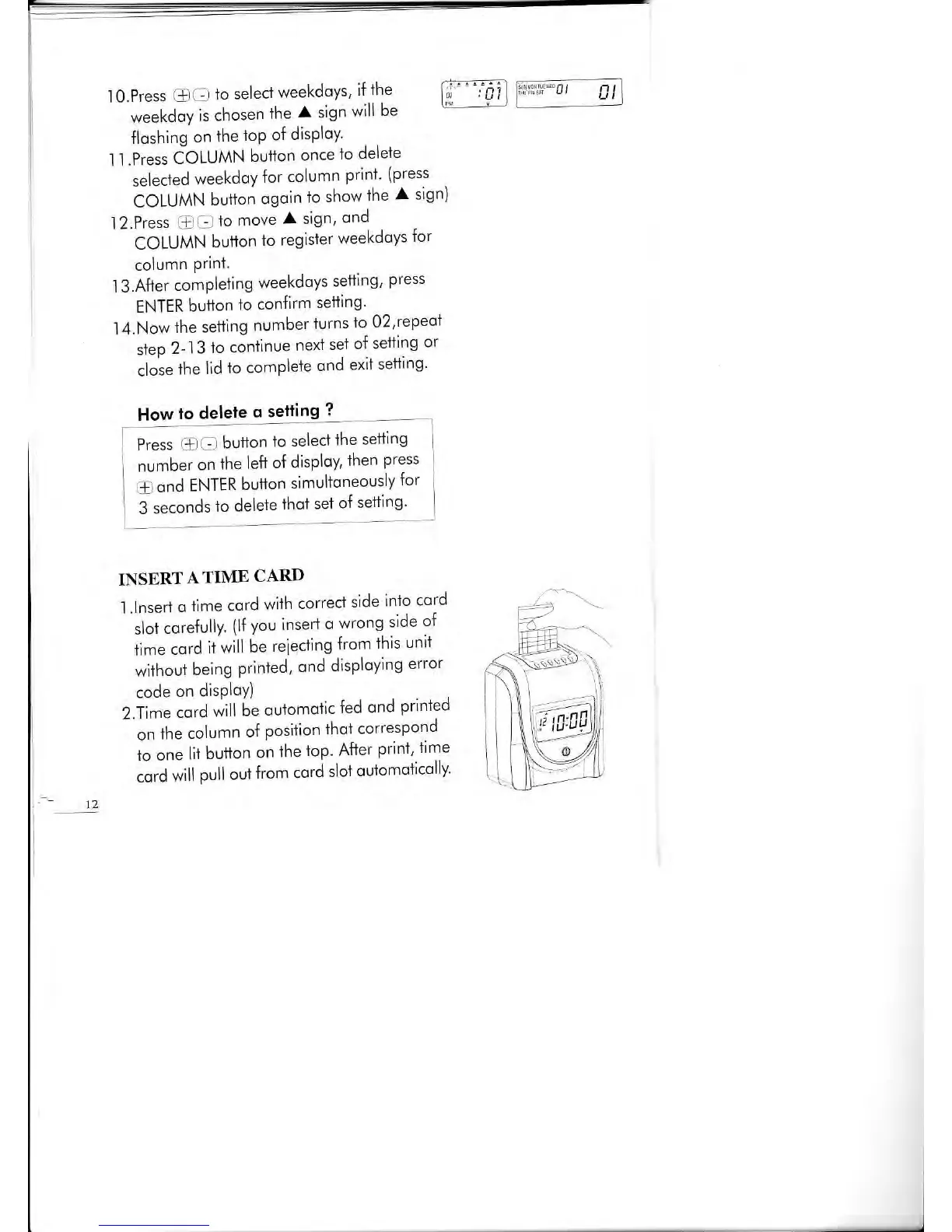
l.lnsert
o
time
cord
with
correci
side
inlo
cord
slot
corefrlly
(lf you
insert
o
wrong
side
of
time
cord
ii
will
be
reieciing
from
this
unit
wiihout
being
printed,
ond
disploying
error
code
on
disPloY)
Z.ii."
.otd
will
te
outomotic
fed
ond
printed
-
on
th"
column
o{
posiiion
thot
correspond
to one
lit
button
on
fhe
iop'
After
print'
iime
cord
will
pull
oul
from
cord
slot
oulomolicolly'
12
EI

Related product manuals