
 Need help?
Do you have a question about the Timemaster TM900 and is the answer not in the manual?
Identifies and illustrates the buttons used for setting functions on the time recorder.
Shows the different indicators and display elements of the time recorder's screen.
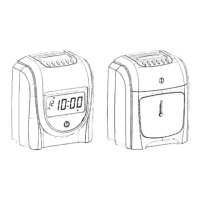
Labels and illustrates the external components of the time recorder unit.
Instructions on connecting the unit to a correct voltage power source.
Steps to unlock and remove the cover using the provided key.
Guide to setting the current year using the device's interface buttons.
Instructions for setting the current month and day on the time recorder.
Procedure for setting the current hour, minute, and second.
How to set the time for the daily line change, including hour and minute.
Options for setting the time card format, including standard or 16th row blank.
Configuration for monthly, weekly, or bi-weekly pay periods and associated card settings.
Instructions to select between 12-hour or 24-hour display modes.
Guide to setting the vertical and horizontal positions for printing on time cards.
Steps to configure the start and end dates and times for Daylight Saving Time.
Options for selecting the printing mode: 24-hour, centennial, or 12-hour.
How to enable or disable the auto-detecting function for time cards.
Instructions on how to replace the ribbon cassette in the time recorder.
Information about the built-in lithium battery and its function during power failures.
 General
| Time Format | 12/24 Hour |
|---|---|
| Alarm | Yes |
| Backlight | Yes |
| Type | Digital |
| Power Source | Battery |

 To Next Page
