EasyManua.ls Logo

Timemaster TM900 - Setting Hours Mode; Setting Printing Position

Timemaster TM900
17 pages
Print Icon
To Next Page IconTo Next Page
To Previous Page IconTo Previous Page
Loading...
k
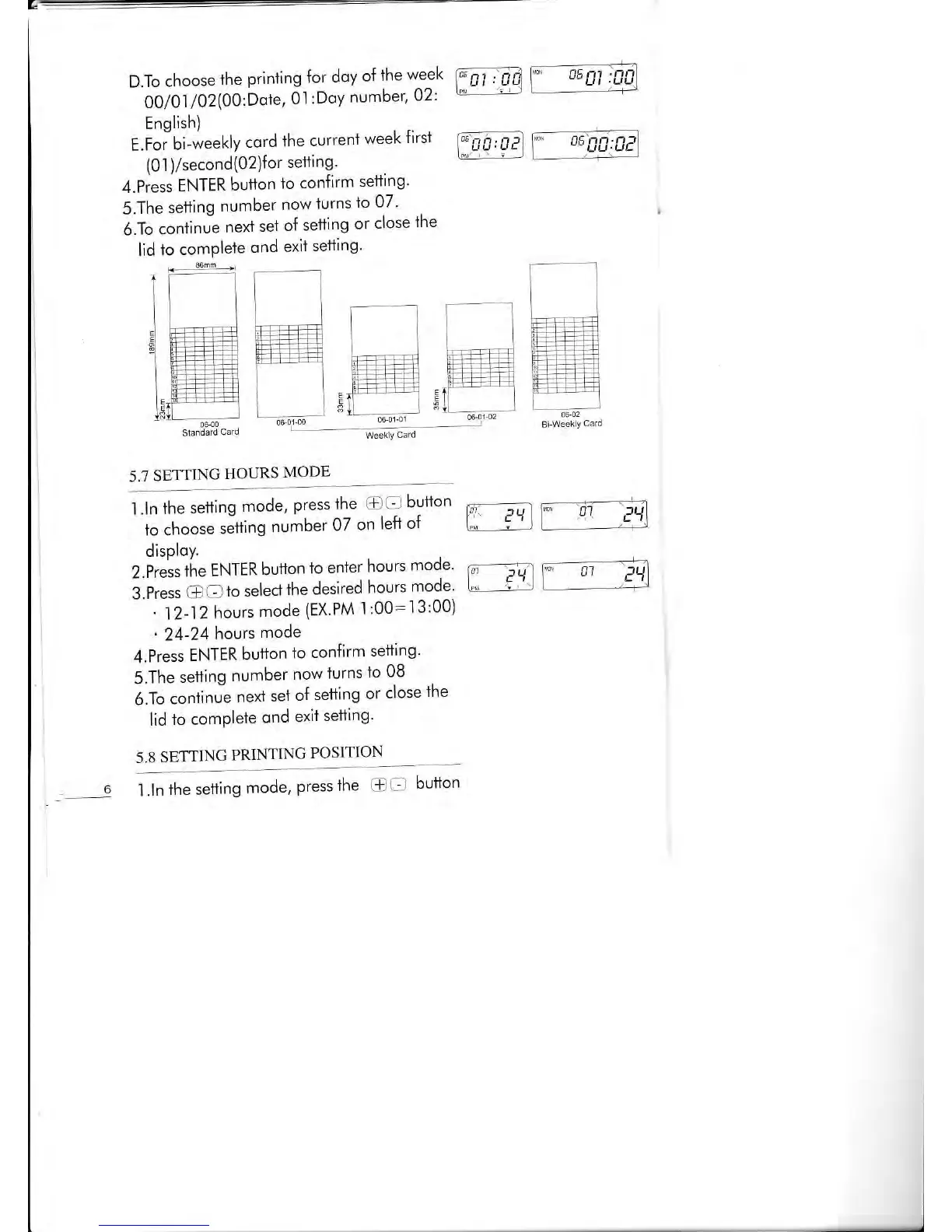
D.To
choose
fhe
prinling
for
doy
of
the
week
l"tt ItA
00/0'l/02(00:Dofe,
01:Doy
number'
02:
t"
r
i
English)
E.Foibi-weekly
cord
the
currenl
week
firsi
mga
(0
I
)/second(02)for
sefling'
4.Piess
ENTER
butlon
io
con{irm
setting'
5.The
setting
number
now
lurns
io
07'
6.To
contin,ie
nexl
set
of
seiting
or
close
ihe
*,
aEnl:
A5IJfr:
lid
io
comPlete
ond
exii
setting'
5.7
SETTING
HOURS
MODE
1 .ln
ihe setting
mode,
press
lhe
ttl
O
button
1.ln
fhe
setting
mode,
press
the
ti
I
b:non
,
tt I
lo choose
setting
number
07
on
lett
ot
1""
:
'
I
disploy.
2.Press
tire
ENTER
button
to
enter
hours
mode'
i.Press
GOlo
select
the
desired
hours
mode'
'
.l
2-12
hours
mode
(EX'PM
I :00=
l3:00)
'
24-24
hours
mode
4.Press
ENTER
button
to
con{irm
setling'
5.The
setting
number
now
iurns
to
08
6.To
continuie
next
sel
o{
setting
or
close
fhe
lid
to comPlete
ond
exit
setting'
5.8
SETTING
PRINTING
POSITION
\"' ?q I
li"
-;r
-l
D1
P\
?'1

Related product manuals