Need help?
Do you have a question about the TimeMoto TM-626 and is the answer not in the manual?
Connect the time clock device to a Wi-Fi network using the supplied power adapter.
Connect the time clock device to a wired network using a LAN cable and power adapter.
Choose TimeMoto Cloud for cloud-based time and attendance with scalability and flexibility.
Choose TimeMoto PC Plus Software for time and attendance on a single Windows PC.
Choose Wi-Fi for wireless network connection and proceed to the next step.
Choose LAN for wired network connection, confirm and approve DHCP.
 General
| Identification Methods | Fingerprint, RFID card, PIN |
|---|---|
| Operating Temperature | 0°C to 45°C |
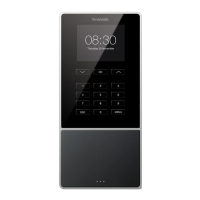
| Device Type | Time Attendance Terminal |
| Display | 2.8" TFT LCD |
| Fingerprint Capacity | 3, 000 |
| User Capacity | 10, 000 |
| Transaction Capacity | 100, 000 transactions |
| Log Capacity | 100, 000 |
| Communication | USB |
| Power Supply | DC 5V 1A |
| RFID Card Compatibility | EM, Mifare |


 To Next Page