Need help?
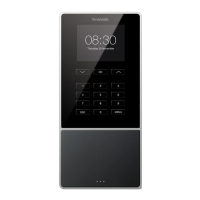
Do you have a question about the TimeMoto TM-828 and is the answer not in the manual?
Connect the TimeMoto device using Wi-Fi or LAN and the power adapter.
Connect the TimeMoto device to the power outlet to supply power.
Device configured, will restart. Click 'Register' when the button turns green.
Create an account for TimeMoto Cloud or PC Plus Software.
 General
| Display | 2.8 inch Color LCD |
|---|---|
| Fingerprint Capacity | 3, 000 |
| Transaction Storage | 100, 000 |
| Transaction Capacity | 100, 000 |
| Communication | TCP/IP |
| Power Supply | DC 5V |
| Dimensions | 192 x 129 x 38 mm |
| Weight | 0.5 kg |
| RFID Card Compatibility | EM Card |
| Product Type | Time Attendance Terminal |
| Communication Interface | USB |
| Power Source | Power Adapter |
| Identification Methods | Fingerprint, RFID Card |
| Operating Temperature | 0°C to 45°C |


 To Next Page