9.8 Adjusting the PK-232 4.0 MHz Master Oscillator
If you ever observe the received FAX from a Commercial station does
not print or display straight up and down the page, your 4.00 MHz
oscillator inside the PK-232 has probably drifted off frequency.
If you have a frequency counter with a high-impedance input, you may
do the following:
Step 1: Open the PK-232 by removing the six screws that hold the gray
top-chassis in place and separate it from the bottom chassis.
Step 2: Reconnect the PK-232 to your radio, computer, printer, and to
+13 VDC, then turn it on, and allow it to warm-up for 30 minutes.
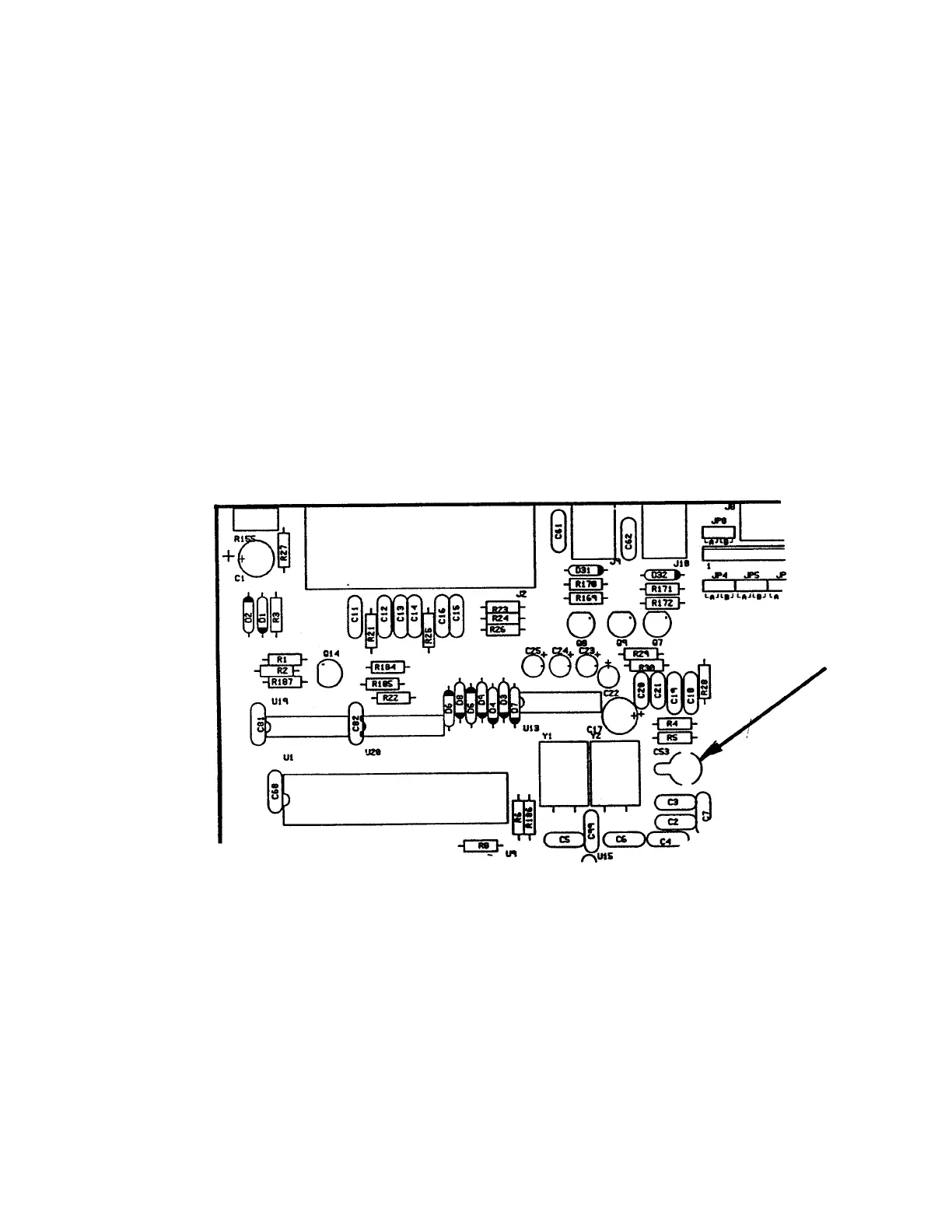
Step 3: With the help of Figure 2 below, locate the variable capacitor
C53 in the left-rear quadrant of the PK-232 circuit board. It is
located immediately to the right of Q1 and Q2.
Step 4: Place the probe of the frequency counter on pin-6 of the Z80
microprocessor which will provide a strong square-wave clock signal.
Step 5: Adjust C53 until the counter reads 4.00000 MHz +/- 10 Hz.
Figure 2: PK-232 circuit board layout showing the location of capacitor C53
4/91 9-6



 To Next Page