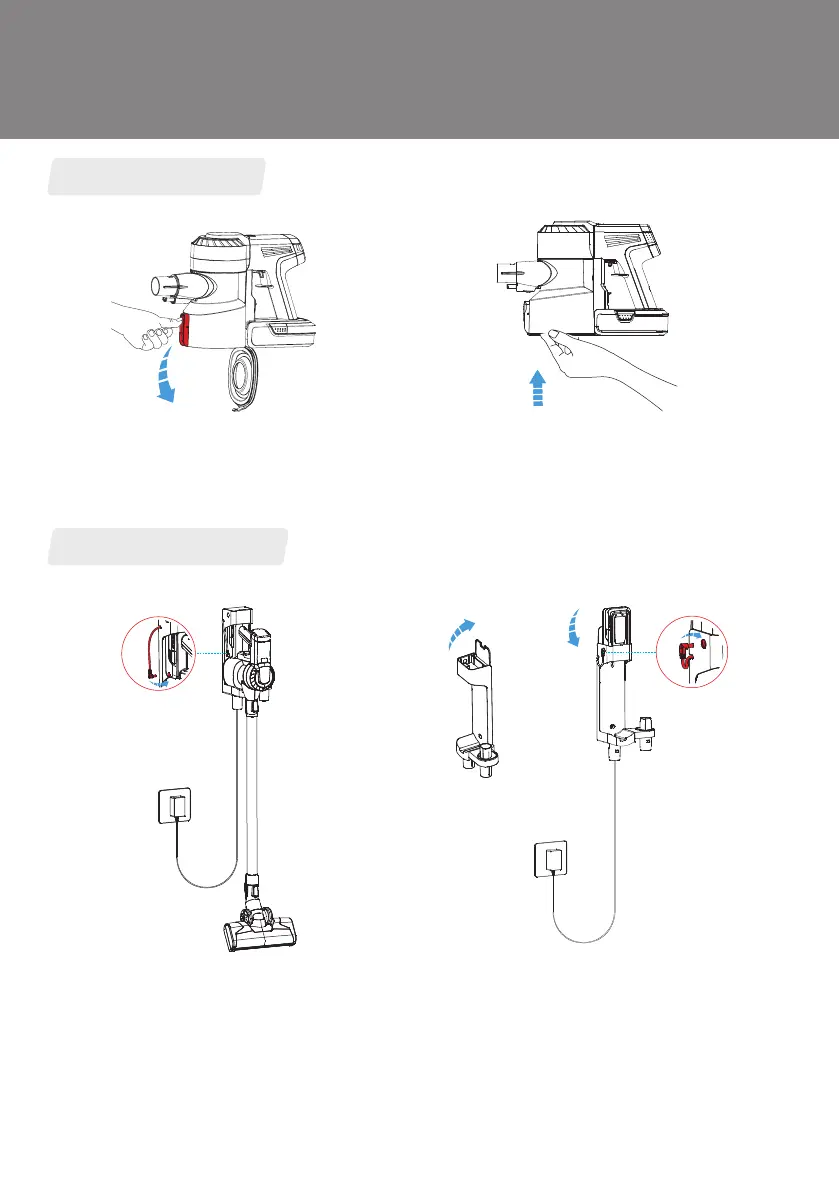
When finished, press the release button on the
side of the dustbin and empty the contents.
Reattach the dustbin's bottom cover.
Empty the Dustbin
Charging the Battery
Place the main body with the battery on the
docking station, plug in the adaptor and
charging port, three blue lights blinking
successively shows charging correctly.
You can also charge the battery separately:
open the cover above the docking station,
then put the battery in the upper groove and
plug in the adaptor and charging port, three
blue lights blinking successively shows
charging correctly.
Product Operation
10


 To Next Page
 Loading...