EasyManua.ls Logo

Tineco FLOOR ONE S5 PRO Series - User Manual

Tineco FLOOR ONE S5 PRO Series
24 pages
Print Icon
To Next Page IconTo Next Page
Loading...
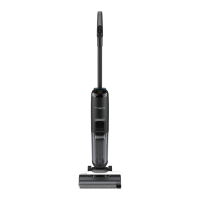
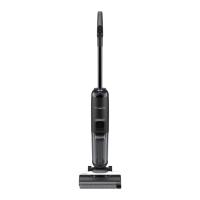
FLOOR ONE S5 PRO SERIES
Smart Cordless Vacuum & Washer
Instruction Manual
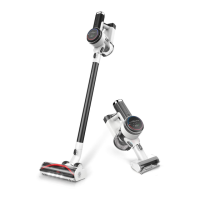
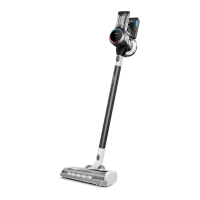
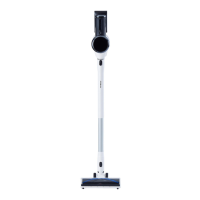
*Actual product may differ from illustration.

Questions and Answers

  • M
    Mary CunninghamAug 15, 2025
    What to do if the battery indicator is red on my Tineco FLOOR ONE S5 PRO?
    • K
      Kyle PattonAug 15, 2025
      If the battery indicator is red and you hear a voice prompt indicating low battery, it means the battery is low. Charge the appliance or restart it.
  • P
    Paul GreenAug 18, 2025
    How to fix a Tineco Vacuum Cleaner that does not turn on?
    • D
      David BatesAug 18, 2025
      If the appliance does not turn on, it might be due to auto protection for overheating. Restart it after it cools down.
  • J
    Jessica GrahamAug 21, 2025
    What to do if I see 'DWT full' on my Tineco FLOOR ONE S5 PRO?
    • P
      Patrick NormanAug 21, 2025
      The 'DWT full' message indicates that the dirty water in the Dirty Water Tank has reached the MAX line. Empty the dirty water and then reinstall the DWT.
  • Z
    zramirezAug 26, 2025
    What to do if my Tineco Vacuum Cleaner says 'CWT empty'?
    • C
      Cindy McbrideAug 26, 2025
      The 'CWT empty' message means the Clean Water Tank is empty. Refill the CWT.
  • O
    owestAug 28, 2025
    Why is my Tineco Vacuum Cleaner losing suction?
    • S
      Susan MercerAug 28, 2025
      Weak suction may occur if the dry filter is not installed or is dirty. To resolve this, install the dry filter, or clean it and allow it to dry completely.
  • D
    Darren ParkerSep 1, 2025
    How to fix a tangled brush roller on my Tineco FLOOR ONE S5 PRO?
    • N
      Nancy MontoyaSep 1, 2025
      A tangled brush roller can be caused by a blockage or incorrect installation. Here’s what to do: 1. Remove any blockages. 2. Install the brush roller correctly.
  • A
    Adam Gibson DDSSep 4, 2025
    Why is the LED loop red on my Tineco FLOOR ONE S5 PRO Vacuum Cleaner?
    • D
      Destiny BurkeSep 4, 2025
      A red LED loop indicates a dirt sensor malfunction or blockage. Remove any blockages, clean the debris channel, or restart the appliance.
  • A
    anthony61Sep 7, 2025
    Why are all the lights off during operation of my Tineco Vacuum Cleaner?
    • R
      Rebekah HamptonSep 8, 2025
      If all lights are off during operation, it may be due to battery overheat or malfunction. Cool the appliance down and restart it.
  • R
    Renee ObrienSep 12, 2025
    How do I fix the WiFi indicator if it's off on my Tineco FLOOR ONE S5 PRO Vacuum Cleaner?
    • J
      Jonathan DaviesSep 12, 2025
      If the WiFi indicator is off, it means WiFi is not connected. Follow the in-app guide to connect to WiFi.

Summary

Important Safety Instructions

Battery use and care

Overview

Accessories

Deodorizing & Cleaning Solution

Details on the cleaning solution for removing stains and odors from hard surfaces.

Brush Roller

Information about the soft roller head for vacuuming and washing, and its self-cleaning capability.

Dry Filter

Explanation of the dry filter's role in blocking debris and ensuring appliance durability.

Cleaning Tool

Description of the tool used for cleaning the dirty water tank, brush chamber, and roller.

Assembly

How to Assemble;Disassemble

Instructions on how to assemble the handle and disassemble the product if necessary.

Operation

Preparing for Use

Instructions for preparing the appliance before its first use, including charging.

Filling and Charging

Steps for filling the clean water tank and charging the appliance correctly.

Display and Modes

Explanation of the digital display and how to select cleaning modes (AUTO, MAX, SUCTION).

Performance and App

Information on runtime, charging time, and using the Tineco app for enhanced functionality.

Voice Prompt

Maintenance

Main Body

Instructions for cleaning the main body of the appliance with a cloth and neutral detergent.

Tank and Filter Maintenance

Steps for emptying the dirty water tank and cleaning the dry filter.

Brush Roller Care

Procedures for brush roller self-cleaning and maintenance of the brush roller cover.

Brush Roller Replacement

Guidance on how to remove and reinstall the brush roller correctly.

Specifications

Troubleshooting

Warranty

2-YEAR LIMITED WARRANTY

Details of the two-year limited warranty for parts and labor on the washer.

Tineco FLOOR ONE S5 PRO Series Specifications

General IconGeneral
Battery TypeLithium-Ion
Run TimeUp to 35 minutes
Charging Time4-5 hours
DisplayLCD
Self-CleaningYes
Surface RecommendationHard Floors
TypeCordless Wet/Dry Vacuum
Special FeaturesSmart Sensor Technology
Noise Level≤78 dB

Related product manuals