28
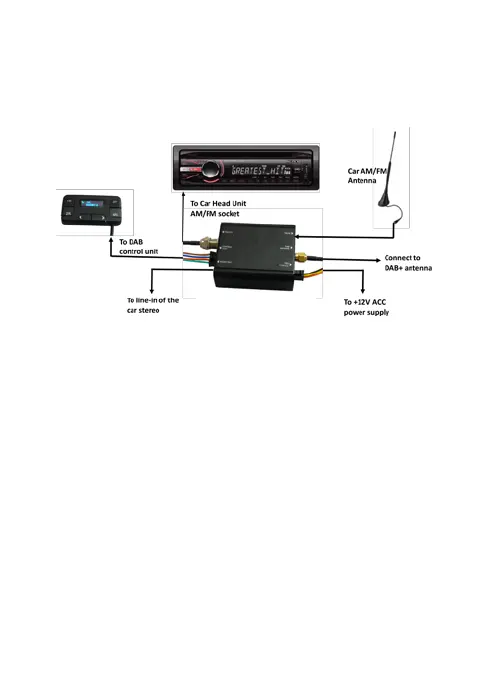
Tiny Audio C11+ Connection
Diagram
Selecting Audio Output – Audio Out
1. Connect the supplied 3.5mm Audio Cable to
the Audio Out connector of the Tiny Audio
C11+ and then connect to the Aux in of the
car stereo.
2. If you choose to use Audio Out connection,
you don’t have to disconnect the existing car
AM/FM antenna.



 To Next Page