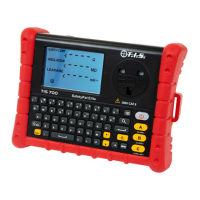
the current test cord (line) will be displayed. Press the F key to exit.
4.3 Voltage selection
In addition to selecting the output voltage (250V/500V) of the test insulation resistance in
the CLASS I/II test, the TIS 600 can select the working voltage (110V/230V) of the
equipment to be tested according to the working voltage of the equipment under test. The
setting of the working voltage (110V/230V) of the equipment to be tested will affect the
leakage current test results and the out-phase detection function.
① Setting of the output voltage of the insulation resistance test voltage.
Press the POWER key to turn on the instrument, press and hold the combination key F +
B until entering the voltage setting interface. Set the insulation resistance test voltage by
pressing ▲ or ▼ key. Switch to INSULATION, press the POWER key to select the voltage,
and switch 250V/500V through ▲ and ▼ keys. Press the POWER key to confirm and exit.
② Setting of the working voltage of the equipment to be tested.
Press the POWER key to turn on the instrument, and press and hold the combination key
F + B until entering the voltage setting interface. Set the insulation resistance test voltage
or the working voltage of the equipment to be tested by pressing ▲ or ▼ key. Switch to
LEAKAGE, press the POWER key to select the voltage, and switch 110V/230V through ▲
and ▼ keys. Press the POWER key to confirm and exit.
4.4 CLASS I test
Connect the equipment to be tested to the TIS 600 with the mains test cord supplied with
the appliance to the TIS 600 output socket and the other end to the power connector of the
equipment to be tested.
Connect the Earth bond lead to the TIS 600 (Terminal 12) then connect the other end to a
metal conductive part of the CLASS I appliance (connected to the protective conductor of
the equipment).
After correct connection, press the A key to start the CLASS I test. Ensure that the
equipment to be tested is powered on during the test. After the test is started, TIS 600 will
light the symbol at the right hand side of the LCD screen to indicate that the CLASS
I test is being performed currently. The test will be done automatically according to the
following steps:
① Grounding Test. Test the resistance between the conductive part of the equipment to
be tested and the protected area.
If the measured resistance is greater than 25Ω, the buzzer and the grounding icon flash to
indicate the grounding fault. After 5 seconds, exit and return to the main interface;
If the measured resistance is less than 25Ω, compare with the set resistance, display the
resistance and "√" or "×", and then conduct the next test.
② Insulation Resistance Test. If the power switch of the equipment to be tested is off, the
instrument may display LO LOAD to indicate that the equipment to be tested has an
insufficient load capacity. Press the A key or turn on the power switch of the equipment to
be tested to continue the insulation resistance test. Press any other key to exit and return
to the main interface.
After the test is completed, the insulation resistance is displayed. Compare it with the set


 To Next Page