Need help?
Do you have a question about the Tivoli Audio CUBE and is the answer not in the manual?
Step-by-step instructions for connecting the speaker to a wireless network via the app.
Guide to creating multi-room audio zones with one or more speakers.
Process of choosing which speakers to include in a specific audio zone.
Interface for controlling music playback within a selected zone.
Options for selecting music playback sources like streaming services or local content.
 General
| Recommended usage | Universal |
|---|---|
| Card reader integrated | - |
| Mobile operating systems supported | Android, iOS |
| DC input voltage | 12 - 15 V |
| Power source type | DC |
| Driver diameter | 76.2 mm |
| Number of speakers | 1 |
| Audio output channels | - channels |
| RMS rated power | - W |
| Input current | 2.5 A |
| Wi-Fi | Yes |
| Connectivity technology | Wired & Wireless |
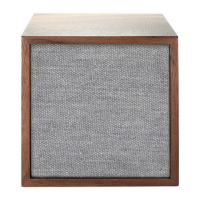
| Product type | Stereo portable speaker |
| Product color | Grey, White |
| Quantity per pack | 1 pc(s) |
| Package type | Box |
 Weight and Dimensions
| Width | 110 mm |
|---|---|
| Height | 117 mm |
| Weight | 1400 g |

 To Next Page