English - 21 Bluetooth Mode
Bluetooth Mode
Pairing
Your Cube can act as a standalone Bluetooth speaker.
1. On your Cube, short press the SOURCE button until the the LED light is blue, then hold SOURCE
until the light is flashing quickly. Go to the Bluetooth settings screen on your phone or tablet.
2. Select the device that has a name similar to “Tivoli Cube | XXXXX”.
3. Once the phone or tablet indicates pairing success, the speaker is ready for use.
4. You can begin playing your music via Bluetooth.
Bluetooth over WiFi
Bluetooth over WiFi enables you to use any music services that may not already be supported
in the Tivoli Audio Wireless App and stream it via Bluetooth on all of your ART by Tivoli Audio speak-
ers. This allows you to play music over multiple speakers even if a music service is not listed in the
Source screen.
1. Pair normally to the speaker via Bluetooth, to the speaker which will be the “Master” speaker of
the zone. If you have never paired to any of your speakers before, it helps to turn off all speakers
except the speaker that will be master until you’ve paired. Then turn all other speakers back on.
2. Open the Tivoli Audio Wireless App and make a zone with the speaker you have paired to set as
the “master” speaker, adding any other speakers you want to play the Bluetooth stream.
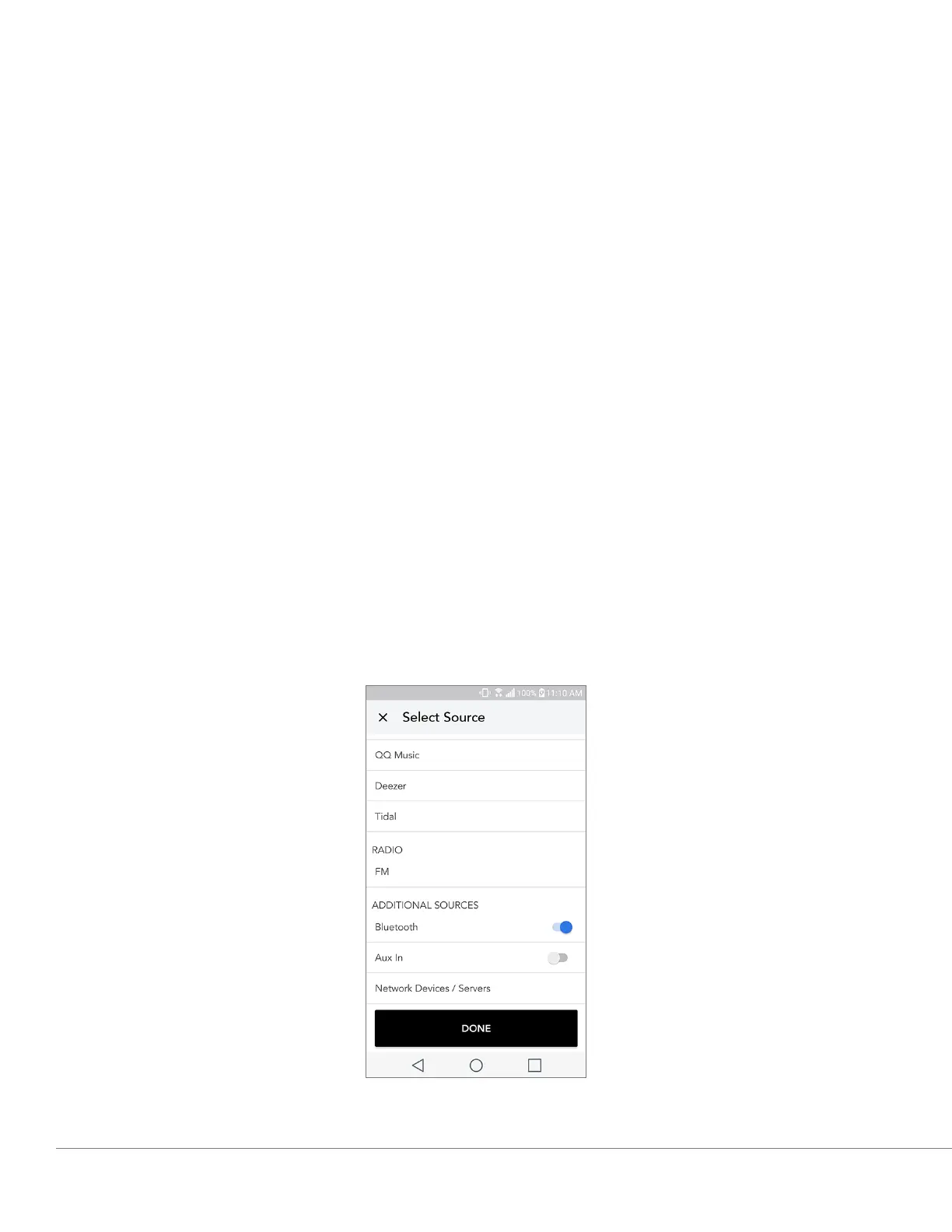
3. On the Sources page, make sure the Bluetooth slider is enabled.


 To Next Page
 Loading...