English - 13
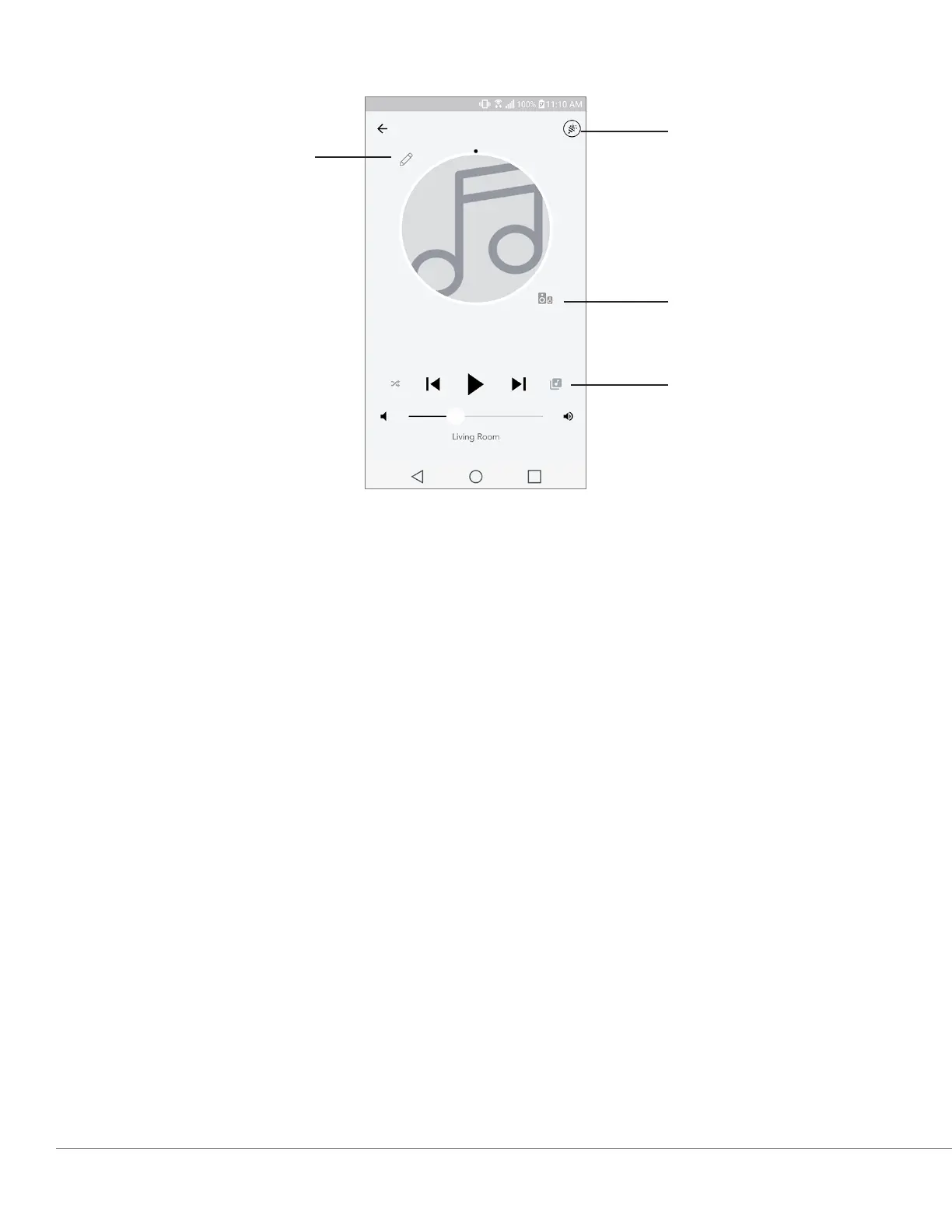
Zone Player Page
A. Changes the name of the zone
B. Activates Party Mode, joining all active speakers in playback
C. Goes to the zone speaker list.
D. Select music source to play on a zone. Please note, some in app available sources require
registered account login information.
A
B
C
D
WiFi Mode


 To Next Page
 Loading...