English - 23
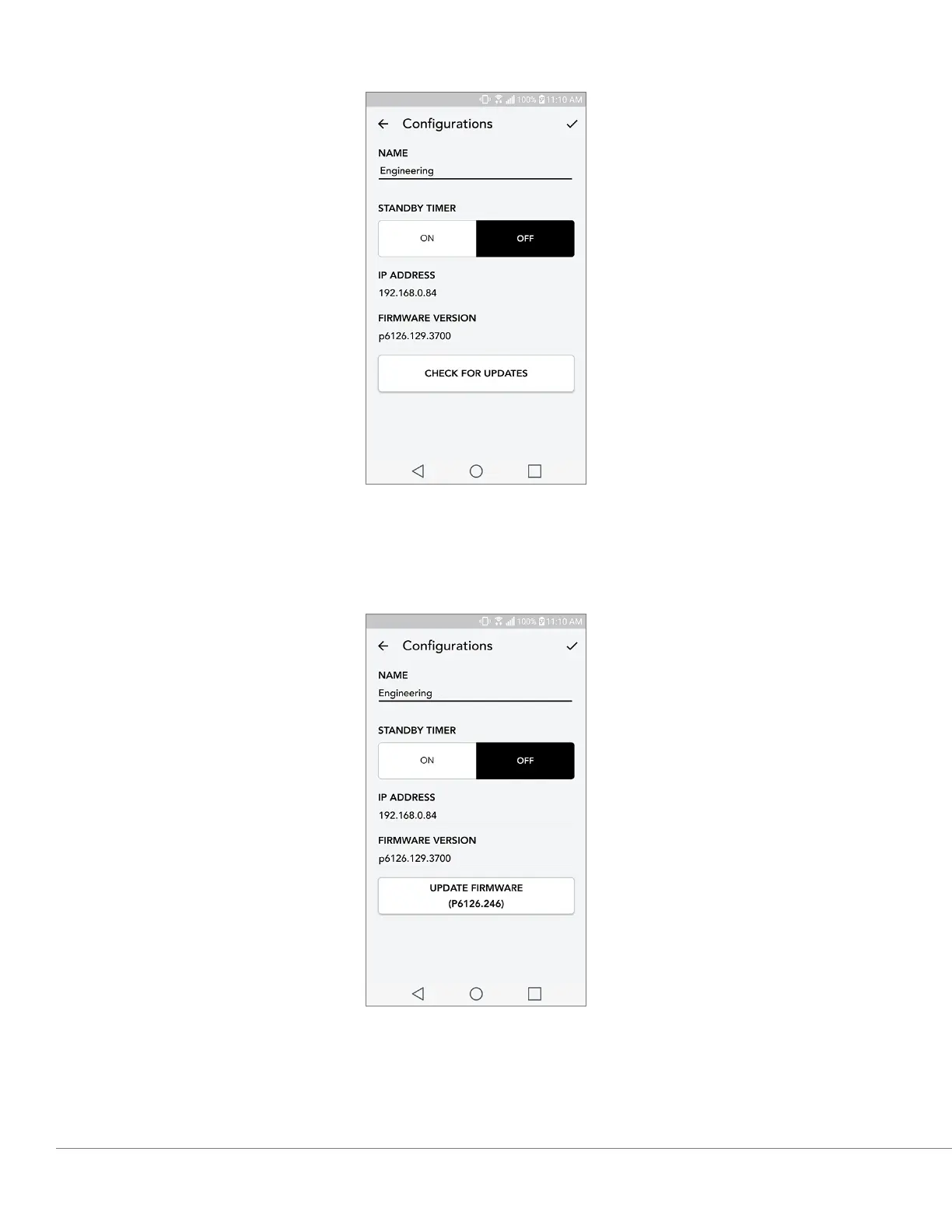
3. Once you are in the unit’s page, select “Check for Updates”
4. If the unit IS NOT up to date, the button will say “Update Firmware”. If the unit IS up to date, the
button will say “Re-Install Firmware”. It is not necessary to re-install firmware unless instructed to
do so by a customer service agent.
Updating Firmware


 To Next Page
 Loading...