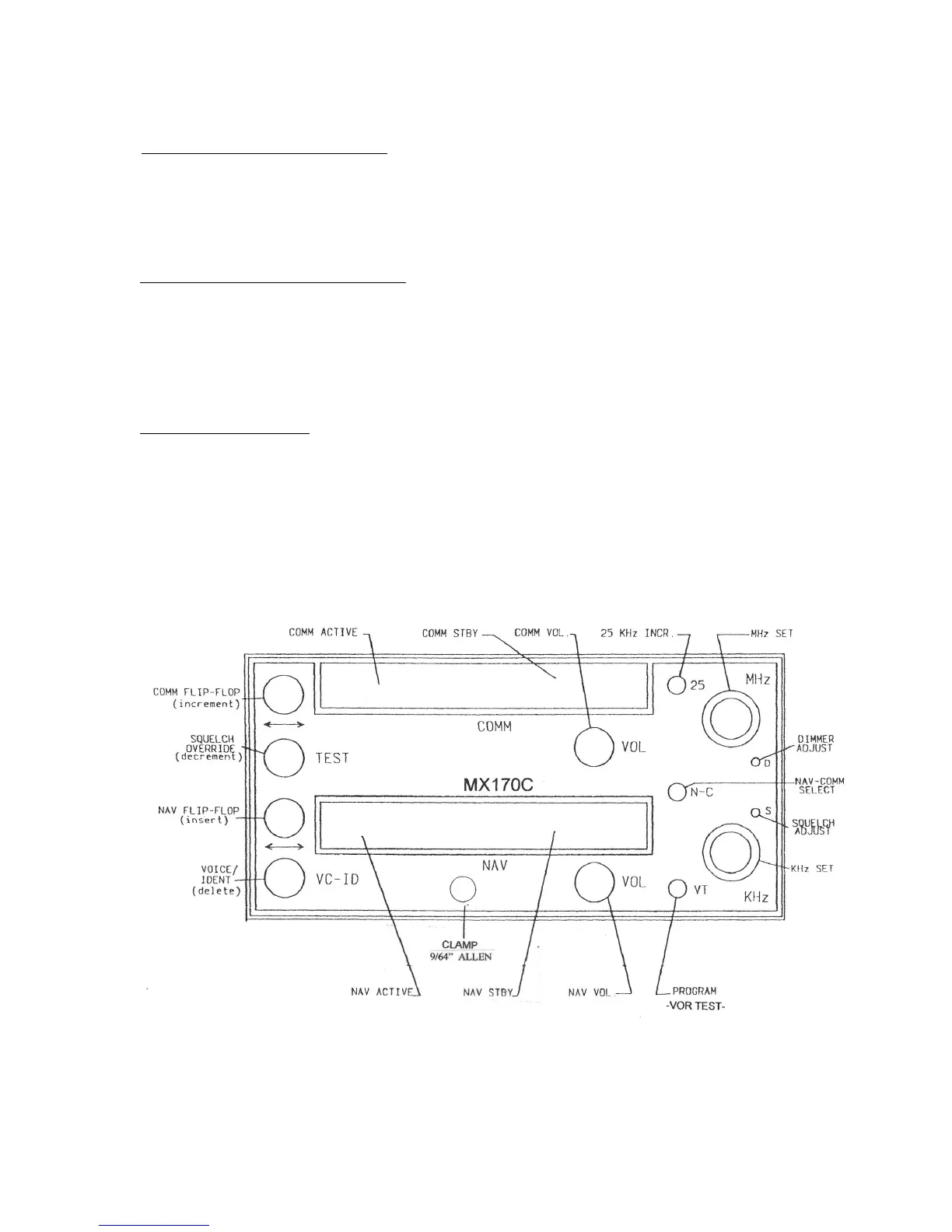
Deleting a preset (EDIT MODE). Press COMM F-F or TEST until the preset to be
deleted is displayed. Then press the VC - ID switch to delete. If the deleted preset was
not at the end of the list, all the presets that followed it are renumbered. Each preset list
(NAV and COMM) must always contain at least one entry. If there is only one entry
remaining in a preset list, it may not be deleted (It can be changed to another frequency).
Frequency preset, normal operation. At any time the radio is in normal operation (Not
EDIT MODE), COMM preset frequencies may be called into the standby frequency
display by pressing COMM F-F while the TEST button is depressed. During the time
that both buttons are held simultaneously depressed, the reference number for the
preset appears in the active window. Each time this operation is repeated, it will copy
the "next" preset to the COMM standby frequency.
NAV preset operation is similar, with the exception that presets are retrieved by
pressing and holding the NAV F-F while pressing the VC - ID.
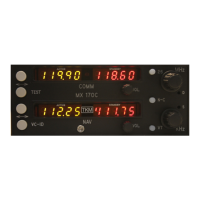
MX170C FRONT PANEL


 To Next Page