Installation & Operation Manual
1 Introduction
TimeMachines Precision Clocks (TMPCs) provide an accurate synchronized time source. TMPCs use Power over
Ethernet (PoE) and Simple Network Time Protocol (SNTP) to make installation and setup as clean and simple as
possible. Connecting the clock to a PoE enabled Local Area Network (LAN) Ethernet drop is all that needs to be done.
2 Installation
2.1 PoE Connection
TMPCs require connection to a PoE enabled LAN. There are two ways of going about this, one is to have a PoE switch
and the other is to have a PoE injector. PoE injectors are offered through TimeMachines as an accessory.
2.2 Network
Beyond connecting to a PoE enabled LAN, nothing else is required to get TMPCs up and running. IP, Netmask, Gateway,
and DNS addresses are all setup using Dynamic Hosting Configuration Protocol (DHCP) by default. Static addresses may
be assigned by accessing a configuration web page. The default time server is set to nist1-chi.ustiming.org but can be
changed using the configuration web page. These processes are described with further detail in the Configuration section.
2.3 Mounting
TMPCs may be surface mounted, rack mounted, or in a dual mount bracket (using two clocks).
Required tools: hammer, drill, 1/4” drill bit, screwdriver and pencil. Mounting options are optional.
2.3.1 Surface Mounting to Drywall
1. Mark the holes to be drilled based on the spacing of your specific clock. 12.5 inch centers for the 2.5 inch digit
clocks as well as the 4 inch by 4 clocks, and 16 inches for the 4 inch 6 digit clock.
2. With a 1/4” drill bit, drill through the two marks.
3. Insert an anchor into each of the 2 holes using a hammer.
4. Insert a screw into each anchor leaving a 1/16-1/8 inch gap between the head of the screw and the mounting
surface.
5. Connect the network cable to the back of the clock.
6. Place the keyhole slots on the back of the clock over the screws and secure it into place.
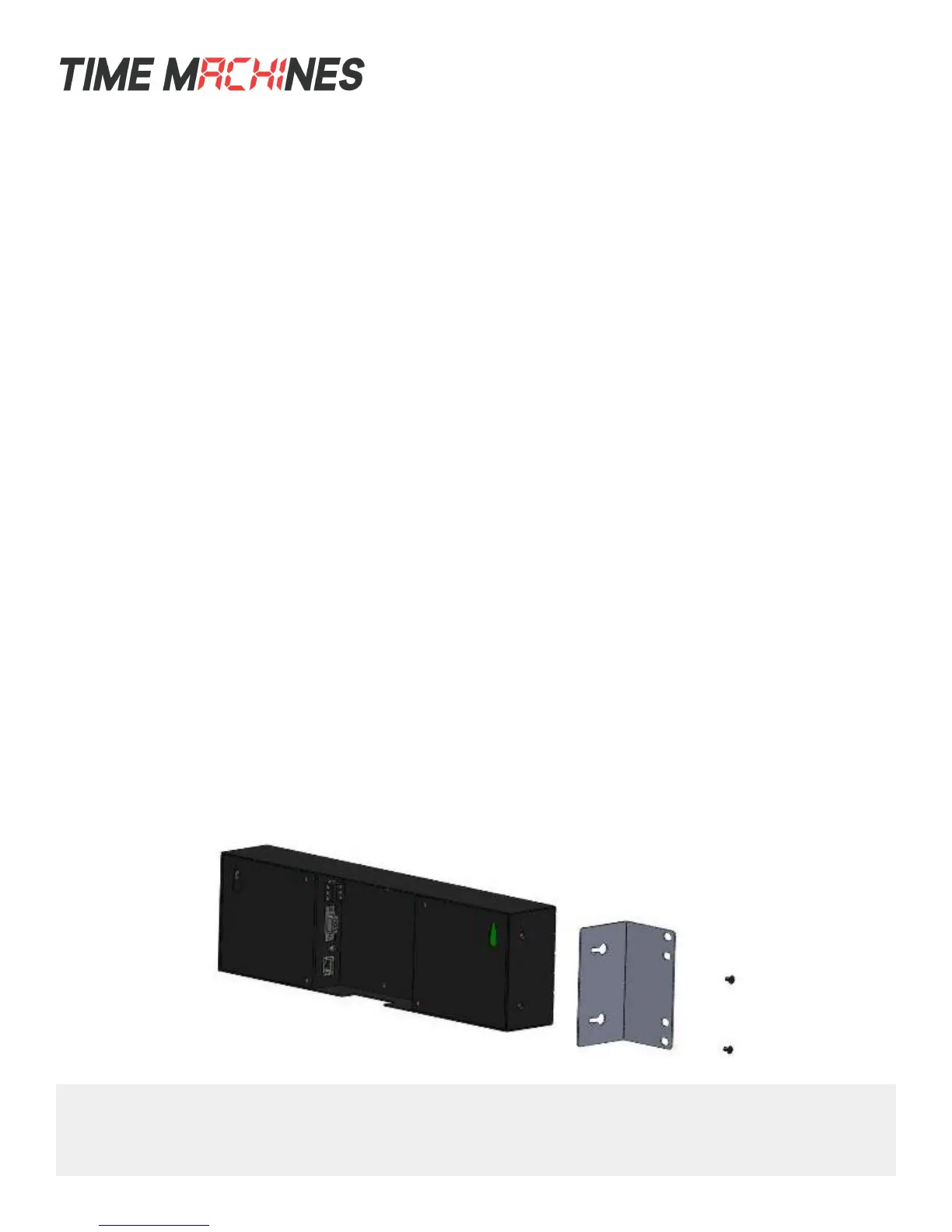
2.3.2 Rack Mounting
1. Attach an ear to each side of the clock.
2. Attach clock to rack.
[ 1 ]
TimeMachines Inc. | 300 South 68th St. Place, Suite 100 | Lincoln NE 68510
voice: 402.486.0511 | email: tmsales@timemachinescorp.com | web: timemachinescorp.com



 To Next Page