Need help?
Do you have a question about the TMT Automation Clifford 400 and is the answer not in the manual?
Product meets UL 325 standards for Class I Residential use.
Crucial safety precautions for gate opener operation and installation.
Identifies and warns about potential pinch points and gate path.
Safety measures to follow while installing the gate opener.
Matching wire colors to terminal blocks for gate opener connection.
Installing and wiring two 12V batteries in series for power.
Correctly connecting battery terminals to the control board.
Setting the direction of gate opening.
Adjusting the force required to stall the gate operator.
Setting the timer for automatic gate closing.
Step-by-step guide to pair included remotes.
Explains what different LED lights indicate on the control board.
Steps to disengage the motor for manual gate movement.
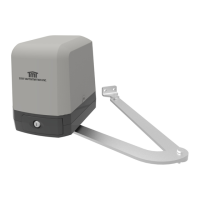
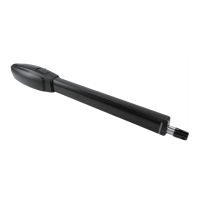
The Clifford 400 is a 24V DC motor swing gate opener designed for residential use. It is classified as a Class I Residential Vehicular Gate Operator, meaning it is intended for use in a home of one to four single-family dwellings, or a garage or parking area associated therewith. The product meets all safety requirements set forth by UL 325 standards.
The Clifford 400 automates the opening and closing of swing gates. It can be configured for both "Push-to-Open" and "Pull-to-Open" operations, with settings controlled via a dial on the control board or through the Chow! App (where available). The system incorporates safety features such as a stall mechanism to prevent injury or damage if the gate encounters an obstruction. It supports both single and dual gate setups.
Before installation, ensure the gate is in proper working condition: level, firm, able to swing freely, and self-supporting without wheels. The gate opener is suitable for metal, chain link, tubular, and wrought iron gates, but not recommended for wooden gates or solid surface gates without discretion. Ample space (at least 10 feet in each direction) should be left around the gate's operation area to avoid traffic congestion. Entrapment zones, including the gate's path, pinch points between the operator and gate, and areas between the gate and column post, must be kept clear. The gate opener should always be installed on the inside of the property for security.
Mounting brackets are assembled from two post brackets and one pivot bracket. The position of the pivot bracket can be adjusted. For pull-to-open installations, the actuator arm extends to open the gate, typically away from the property. For push-to-open installations, the actuator arm retracts to open the gate, typically towards the property. Mounting columns should be robust, with metal or wooden posts at least 3 inches in diameter and set in concrete, or expansion bolts for masonry/brick columns. The gate opener should be mounted near the center of the gate to prevent damage.
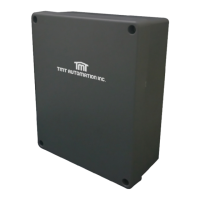
The control box and battery box should be mounted at least one foot above the ground to avoid moisture damage and within range of the gate operators. Grounding systems are recommended in areas prone to lightning strikes.
The gate opener connects to the control box via five wires: M+, M-, LMT1, LMT2, and GND. For dual gate openers, a second set of wires connects to M2+, M2-, LMT3, LMT4, S2, GND, and 5V terminals. Wires should be threaded through strain relief and secured, ensuring no exposed strands.
The system requires two 12V batteries (not included), recommended to be 5Ah. Batteries are connected in series: red wire to Battery 1 positive, black wire to Battery 2 negative, and Battery 1 negative to Battery 2 positive. The BATTERY LED on the control board indicates proper connection; a flashing LED means low voltage.
An AC adapter can also be used. The adapter connects to Power+ and Power- terminals. The POWER LED lights up when the AC adapter is properly connected and the control board is switched ON.
Solar panels can be connected in parallel to charge the batteries. Positive terminals connect to each other, and negative terminals connect to each other. The red wire from the solar panel connects to Power+, and the black wire to Power-. The POWER LED will flash for five seconds upon proper solar panel connection.
The control board features several dials and switches:
Limit switches are located under the top cover of the operator. They can be moved to desired positions to initiate gate slowdown before reaching full travel, ensuring smooth and silent operation. Screws must be loosened to adjust and then tightened to secure.
To pair factory remotes:
Hold the LEARN REMOTE button for 10 seconds. The LED will light up, then turn off, indicating all remotes are unpaired.
After pairing at least one remote:
This mode supports many remotes (up to 50) and prevents command interruptions.
In emergencies, the operator can be manually disengaged:
 General
| Brand | TMT Automation |
|---|---|
| Model | Clifford 400 |
| Category | Gate Opener |
| Language | English |

 To Next Page