PLAYBACK
To view the videos and photos, make sure that the camera is in Playback mode.
If the Playback icon
is not displayed on the LCD screen of your camera, press multi-
ples times until it appears.
To read a sequence :
Press and release the pressure. The camera will start the playback of the selected file
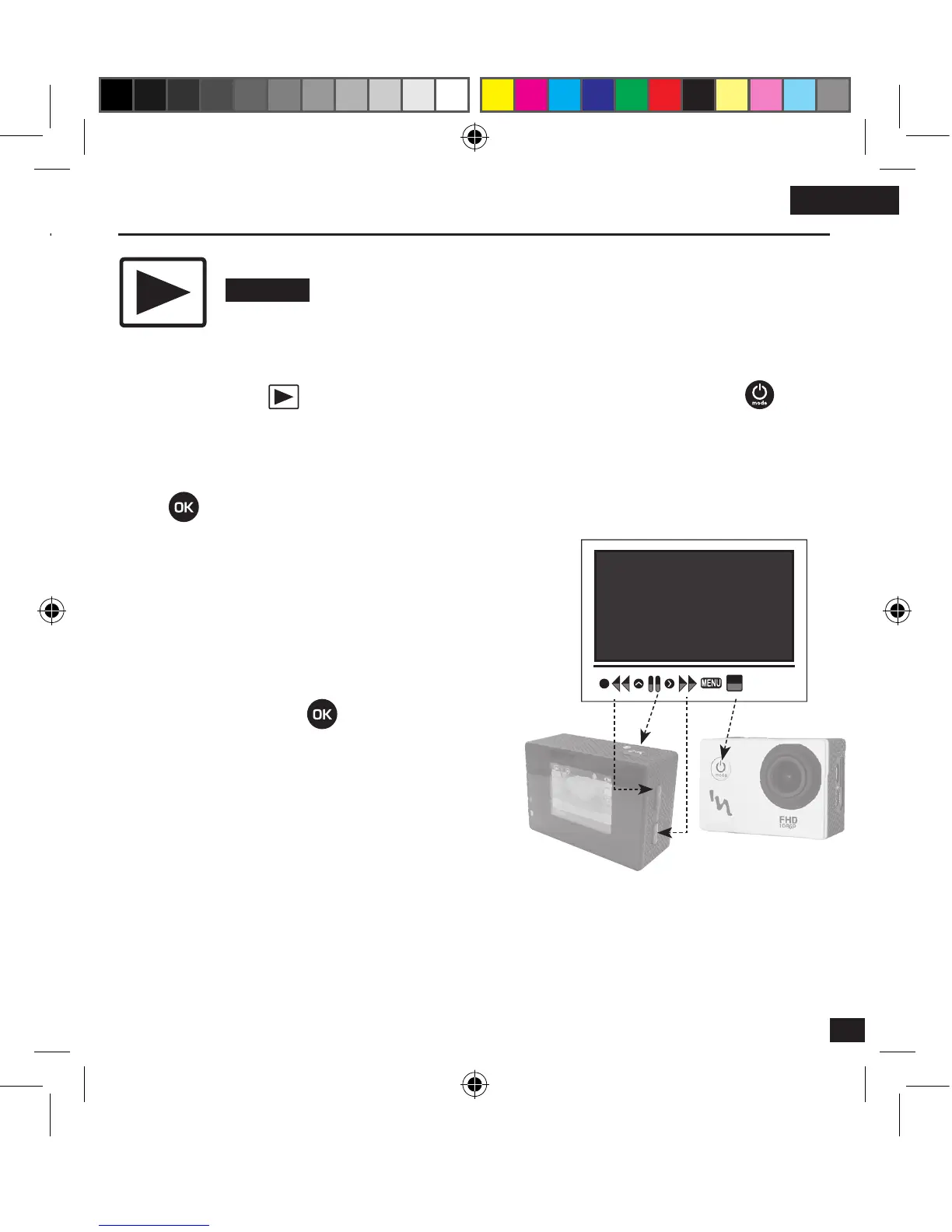
During the playback of a sequence, you can accelerate
the reading, go back, pause or stop.
The opposite diagram shows you the connections of the
buttons to be activated for the choice of your actions.
Playback mode
(P.S : The button has the
double function «Playback» and
«Pause»)



 To Next Page