gf15
Congure TOA IP Audio Systems for the CyberGate serviceCyberTwice
15
CyberGate Manangement Portal Conguration
Navigate to the following URL: https://admin.cybergate.cybertwice.com
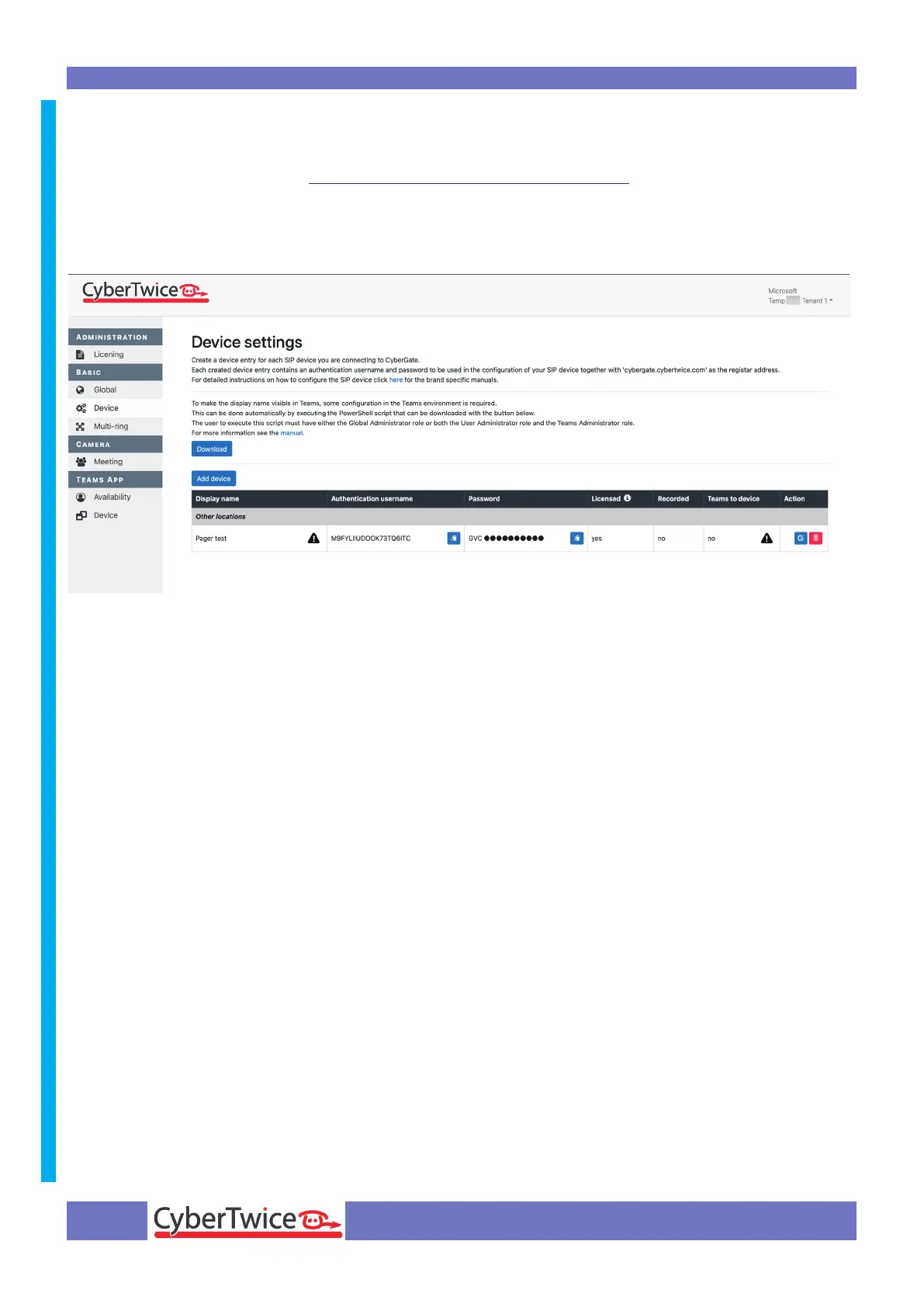
Log in to the admin portal using a Microsoft account with admin privileges and navigate to the Basic-
Device menu.
It displays the device that is used to congure the TOA. If the display name of the device shows the
warning symbol, it is necessary to download and run the Feature conguration PowerShell script. If
no warning sign is shown, skip this step.
• Click on the blue ‘Download’ button to download the script
• Open PowerShell on your PC with administrator privileges
• Run the ‘FeatureConguration.ps1’ script (./ FeatureConguration.ps1)
• When it asks to authenticate, use the same Microsoft account as used to log in to the CyberGate
Admin portal



 To Next Page