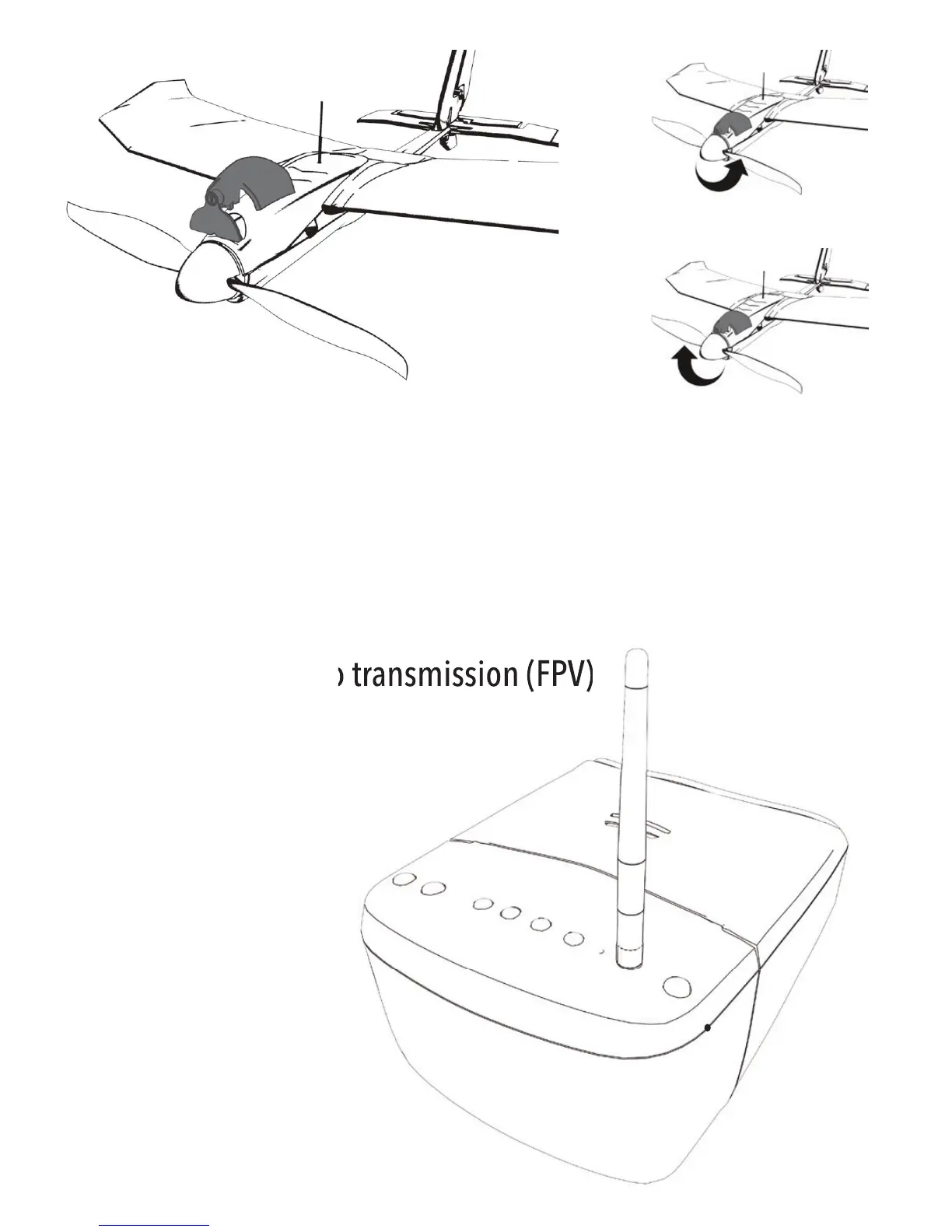
1. Install the propeller exchange tool
2. Dismantling the propeller
3. Installation of the propeller
3.8. Bluetooth connection
Note: The Bluetooth connection can be interrupted outside a distance of 100 meters. Avoid this condition.
The app warns you acoustically before reaching the maximum range. Turn around no later than at this time.
In the case of loss of connection, an emergency stop of the aircraft is carried out and it glides to the ground.
4. Usage of live video transmission (FPV)
1
2
3
4
5
6
8
7
9
10
1. Set the reception channel +
2. Set the reception channel -
3. Change monitor settings (short
actuation), Change input source (long
actuation)
4. Menu navigation +
5. Menu navigation -
6. On / off switch
7. Battery indicator
8. Antenna thread
9. Automatic station search
10. Charging socket


 To Next Page