2.3. Maintenance after the ight
Remove the battery from the aircraft
Charge the battery (at least every 3 months).
Repair or replace any damaged parts.
Keep battery and SmartPlane Pro
FPV
separate
from each other.
Store and transport the SmartPlane Pro
FPV
exclusively in its packaging, in order
to prevent damage.
2.4. SmartPlane Pro
FPV
speci cations
Flight time Weight Charging time
12 min 1.2 oz 20 min
Length Wingspan Battery
13 in 11.8 in LiPo 185 mAh
3. Operation
This product is a stunt and racing plane. It has highly developed sensors inside the aircraft, which enable active
position control and ight stabilization. This results in smoother ying, allows beginner-friendly ying as well
as automatic stunts at the push of a button. Throughout the ight, the sensors inside the aircraft permanently
analyse the position in the airspace and calculate necessary compensatory movements of the rudders. The
positioning system is already active before takeoff.
3.1. Charging the battery
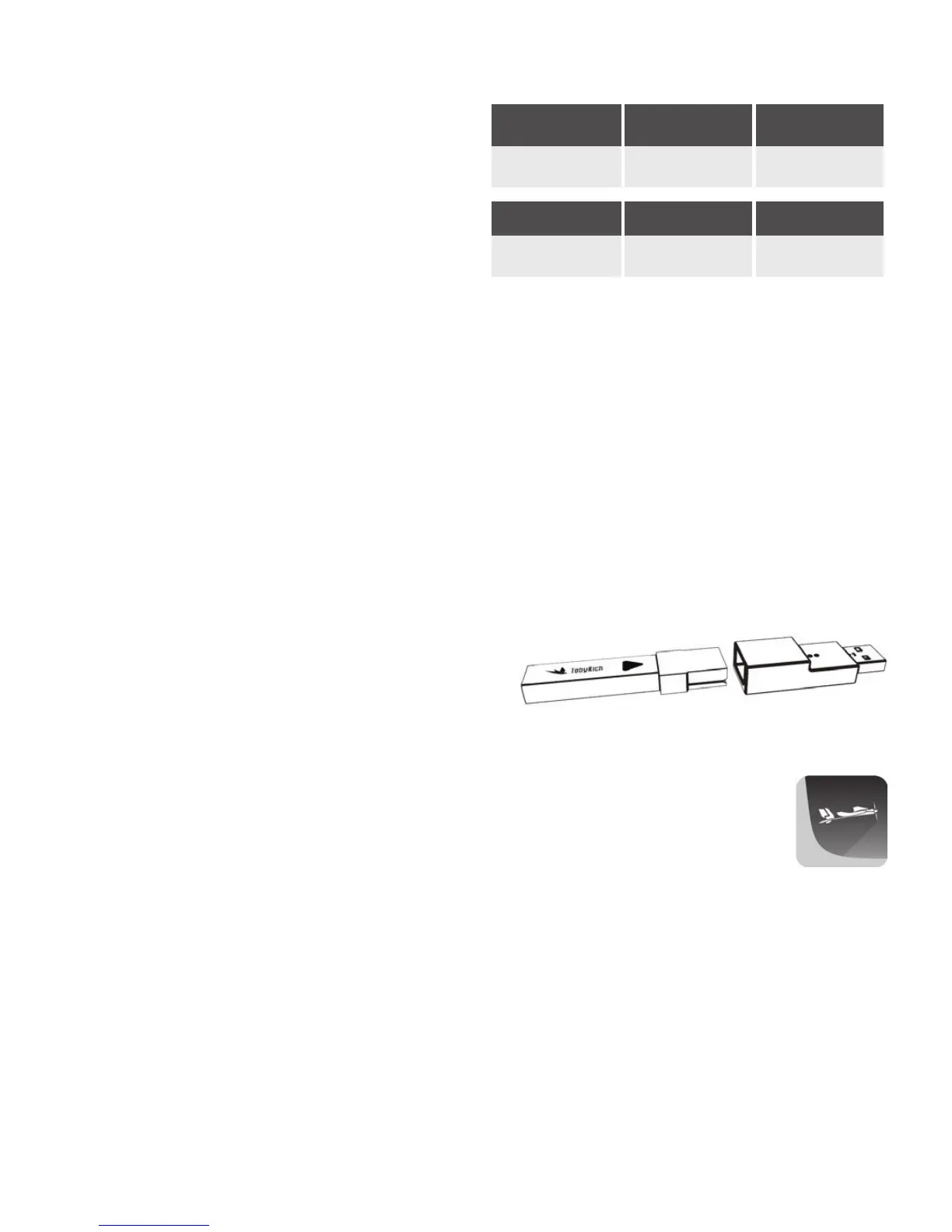
To charge the supplied battery pack, insert it into the USB charger device and plug it into a USB port, such
as a computer, laptop or via a USB wall plug adapter. If you use the USB port of your computer for charging,
make sure that the computer is turned on. At least 5V
at 250 mA is required. You can also use a 5V 1A output.
The battery is fully charged as soon as the red LED
ceases to light up.
Important: Charge the battery at least every 3 months.
3.2. Download the SmartPlane Pro App
Seach for the terms "TobyRich SmartPlane Pro" in the App Store or on Google Play and
download the app to your smartphone or tablet.


 To Next Page