• Press On/o to start the process.
• When the appliance is ready, a sound signal can be heard.
appears on the display.
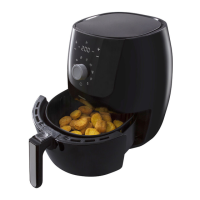
Frying with hot air – frying programmes
The frying programmes work with the ideal me and temperature for the specic types of food.
• Preheat the device
• Place food in the appliance.
• Select a frying programme. If necessary, press and on the le side of the control panel to set a higher or lower
temperature. If necessary, press and on the right side of the control panel to set a longer or shorter me. You can change
the temperature and me at any moment that you wish.
FRYING WITH ROTATION
With the red knob behind the ap you will release the rosserie spit holder at the side of the frying secon of the appliance. Press
the red knob to the right if you want to place or remove the rosserie spit or rotang basket.
Chicken
This frying programme is intended for dishes that you want to prepare by means of rotaon.
• Press Chicken
. The selected frying programme ashes on the display and the default me and temperature sengs are
shown.
• If necessary, press
and on the le side of the control panel to set a higher or lower temperature. You can select a
temperature between 80 °C and 200 °C. If necessary, press
and on the right side of the control panel to set a longer
or shorter me. You can select a me between 1 minute and 90 minutes. You can change the temperature and me at any
moment that you wish.
• Place the closed plate at the boom of the appliance so you can collect dripping fat.
• Put the food on the rosserie spit. Slide a rosserie fork on both sides of the rosserie spit and sck it in the food so that it
remains properly on the rosserie spit. Fasten the rosserie forks by ghtening the screw.
• Hang the rosserie spit in the appliance by aaching it in the rosserie spit holders. Close the ap.
• Press On/o
to start the process. A mer is shown on the display.
• Press Rotang once the me starts to run.
• When the appliance is ready, a sound signal can be heard. Use the handle for the rosserie spit to remove the rotang basket
from the appliance.
TIPS
• Smaller ingredients usually require a slightly shorter cooking me.
• A larger amount of ingredients only requires a lile more me, and a smaller amount requires a lile less cooking me.
• Shaking smaller ingredients several mes during the cooking me results in a beer and more even end result.
• Do not cook extremely fat ingredients such as sausages in the appliance.
• Snacks that you would cook in an oven, can also be cooked in the hot air fryer.
• The maximum amount is 600 grammes.
• If necessary, use an oil spray to lightly oil the ingredients. This will make them even more crispy.
• Use ready-made dough to prepare lled snacks quickly and easily. Ready-made dough also cooks faster than home-made
dough.
• You can also use the appliance to heat food. Select the Preheang programme . The appliance heats your dish for 6
minutes at 140 °C.
• Add 3 minutes to the cooking me if the appliance is cold.
• The turbo technology immediately reheats the air in the appliance. For that reason, it makes no dierence for the end result if
you briey open the ap.
As ingredients can dier in origin, dimension, shape and brand, Tomado is unable to indicate the most opmum seng.
EN - 17



 To Next Page